
 Spotlight
Unlimited Batch Email Extractor from Any Web Page
Extract emails from URLs, view results in a styled window, and save to CSV.
Item Description
The Email Extraction Tool is a user-friendly application designed to extract email addresses from web pages. By simply inputting URLs, users can initiate the extraction process, which scans the content of each page for visible email addresses.
This tool is particularly useful for gathering contact information from various websites quickly and efficiently. User Interface and Design The tool features a sleek and modern interface with a light blue theme, enhancing user experience.
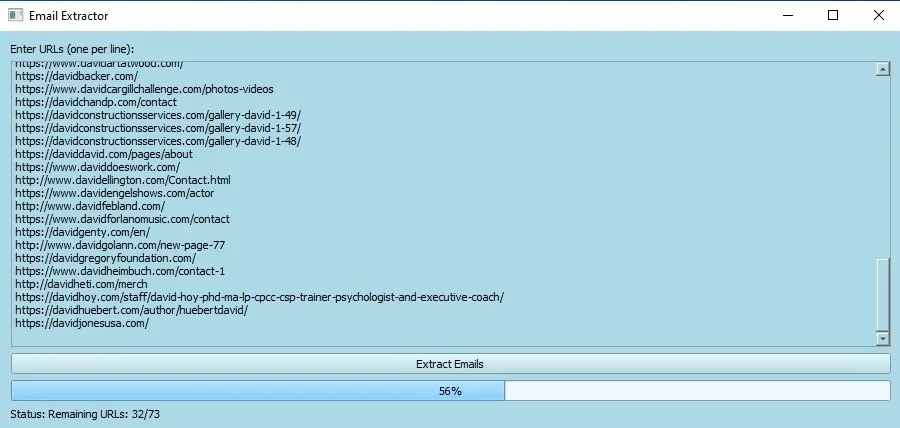
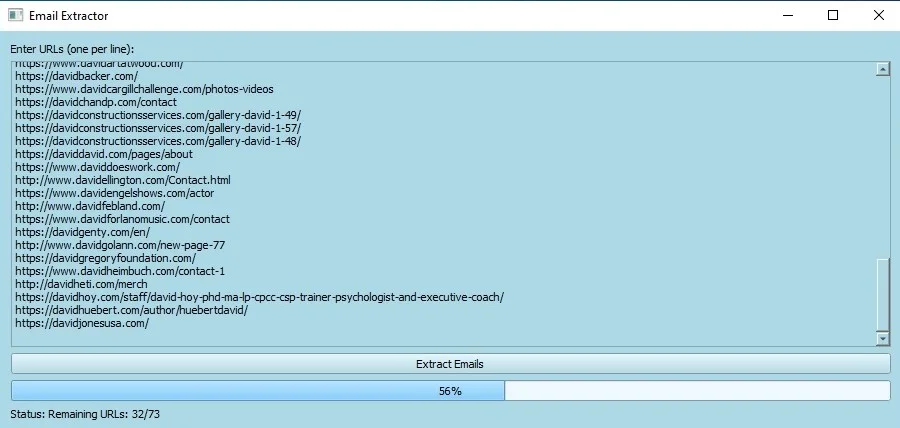
The main window includes a text area for URL input, a progress bar to track the extraction process, and status updates to keep users informed. The clean and intuitive design ensures ease of use, making it accessible for both novice and experienced users.
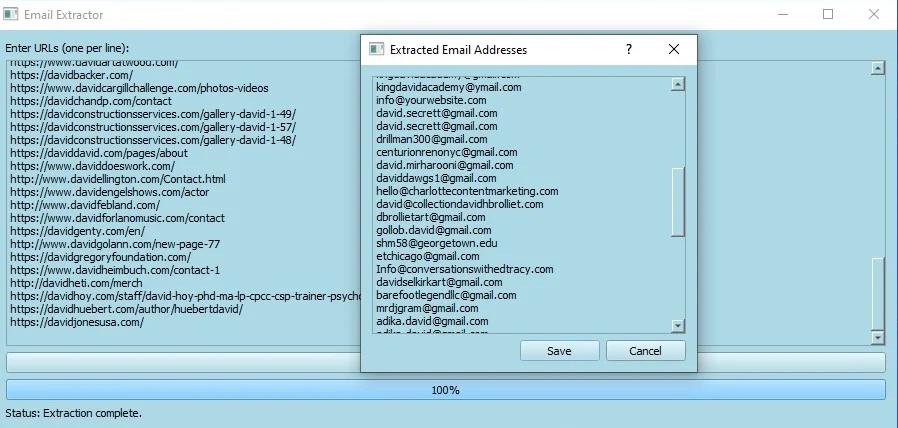
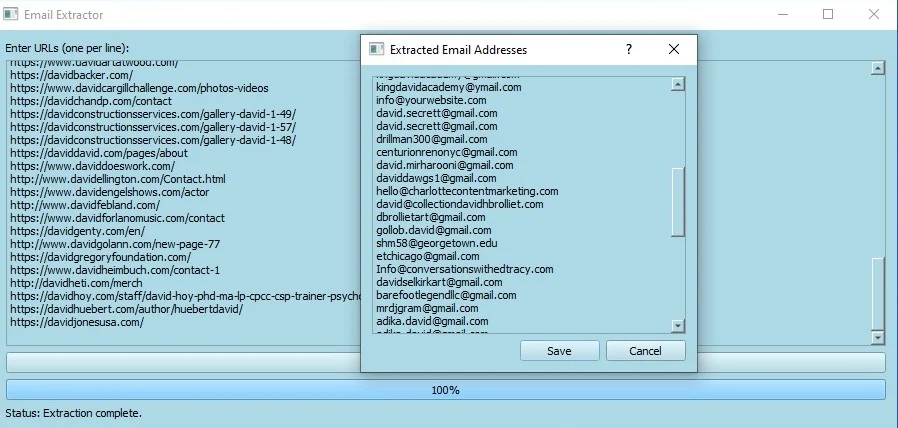
Extraction Process Once URLs are entered, the application begins processing them in parallel using multiple threads. It retrieves the content of each page, extracts visible email addresses, and validates them to ensure accuracy. The results are displayed in a dedicated window, providing a clear view of all extracted emails.
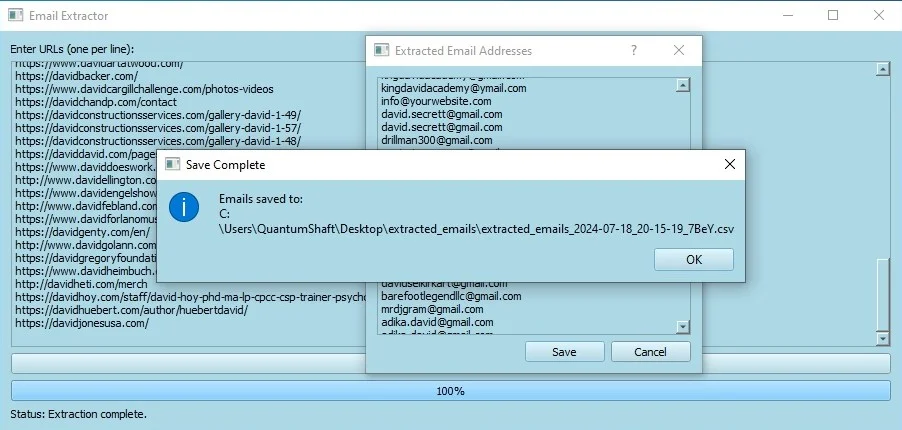
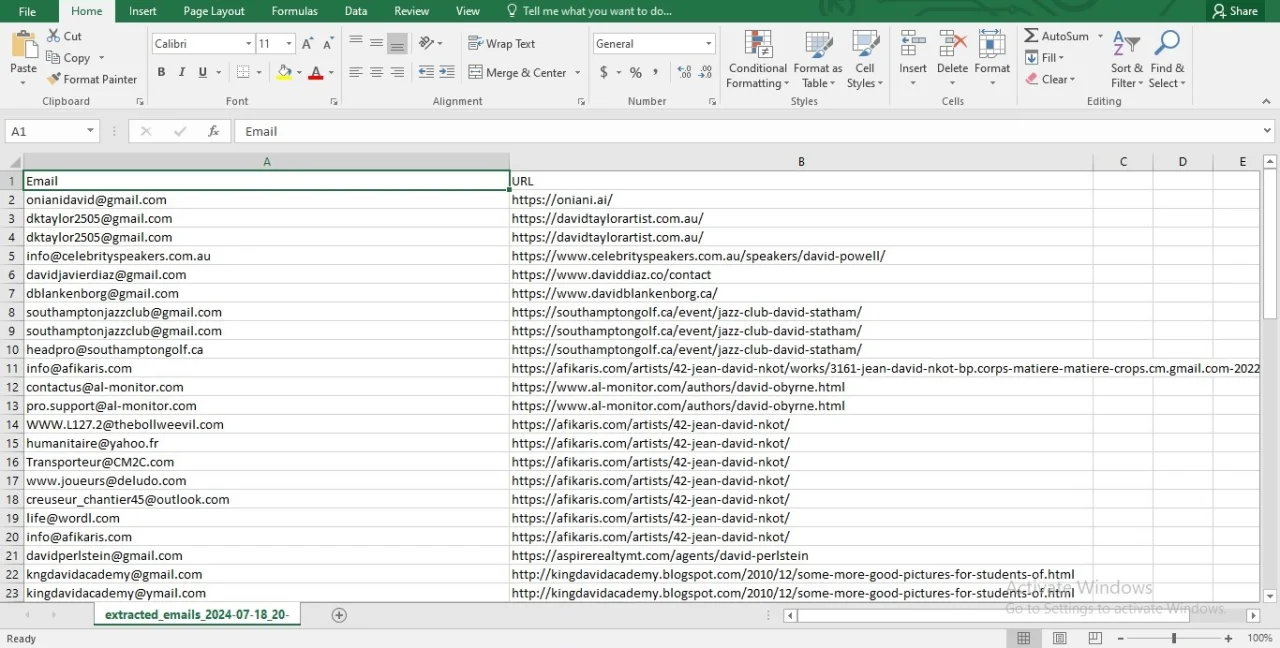
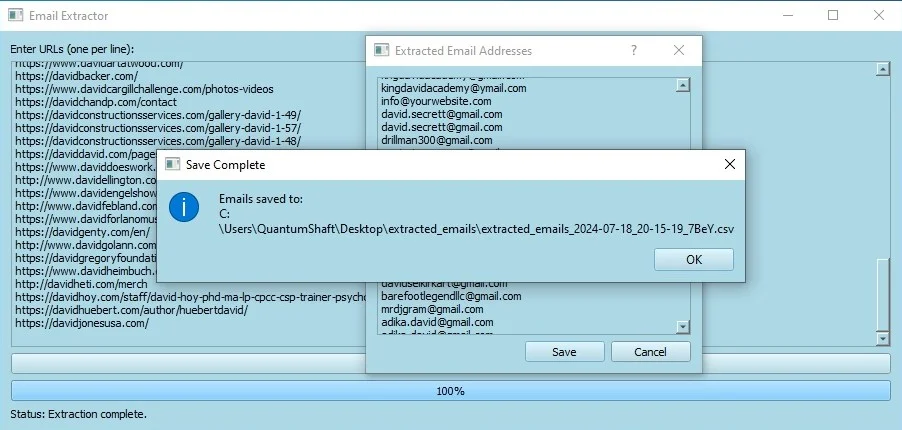
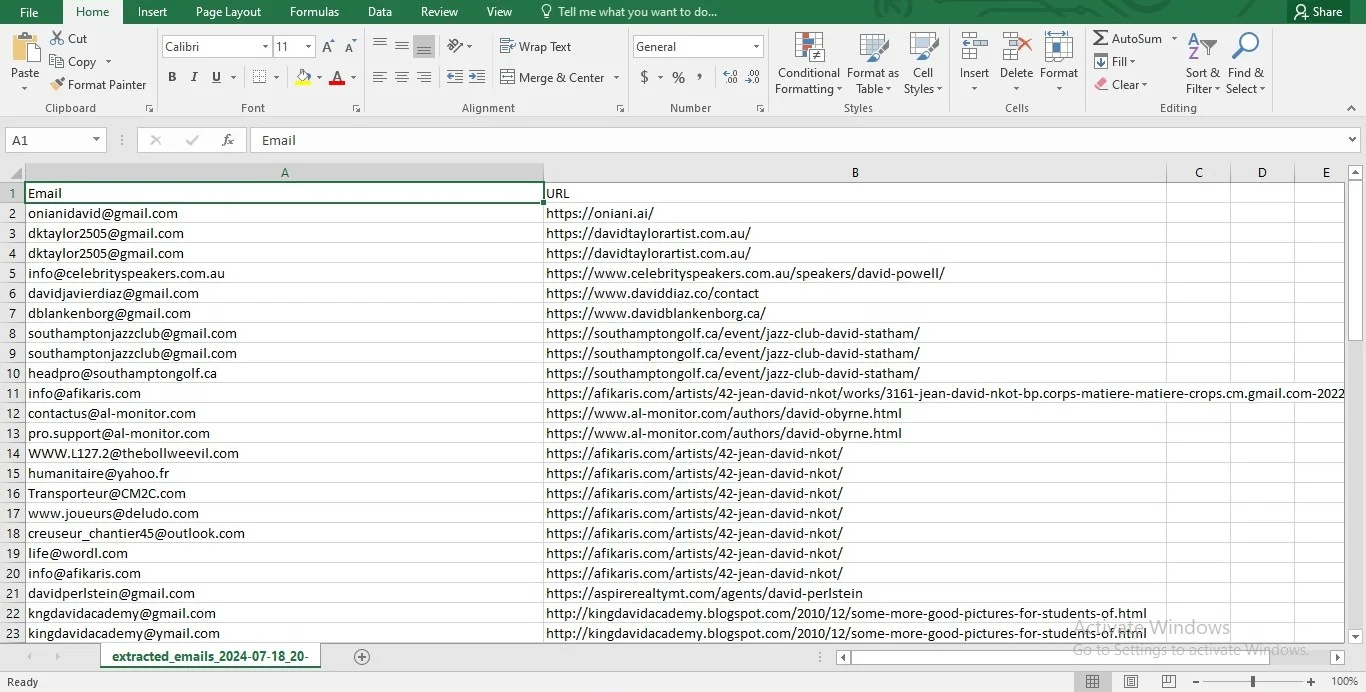
Saving Results After the extraction is complete, users can save the results to a CSV file. This file contains both the email addresses and the URLs from which they were extracted, and is saved in a designated folder on the desktop with a timestamped filename. This feature facilitates easy access and organization of the extracted data.
Enhanced Features In addition to basic extraction, the tool offers a customizable interface with a pleasant color scheme. It supports handling multiple URLs simultaneously and provides detailed feedback throughout the extraction process. The combination of efficiency, usability, and stylish design makes it a valuable tool for managing and retrieving email data from the web.
Features
Here are the key features of the Email Extraction Tool:
URL Processing: Easily input multiple URLs to extract email addresses from web pages.
Parallel Processing: Efficiently handles multiple URLs simultaneously using threading for faster extraction.
Visible Email Extraction: Extracts only those email addresses that are visible on the web page, ensuring relevance and accuracy.
User-Friendly Interface: Features a sleek, light blue-themed interface for a pleasant user experience.
Progress Tracking: Displays a progress bar and status updates to keep users informed about the extraction process.
Results Display: Shows extracted email addresses in a dedicated, editable window for easy review.
CSV Export: Saves the extracted email addresses and corresponding URLs to a CSV file, with automatic naming based on date and time.
Error Handling: Provides informative messages in case of extraction or saving errors, ensuring a smooth user experience.
$ 50
- Verified source code
- Join 35541+ buyers which trust us!
- Download code immediately

100% Guarantee For Item!
Satisfaction guarantee policy.
Satisfaction guarantee policy.
Information
| Category | Scripts & Code / Python |
| First Release | 19 July 2024 |
| Files included | .py |
| File Size | 31 MB |
| Frameworks | Python |
Similar Items