
 Spotlight
Auto Typer
Automate text typing for complex tasks where copy-paste isn't possible, with customizable speed and hotkeys.
Item Description
The Auto Typing App is designed to automate text typing, making it incredibly useful for situations where copy-pasting is not an option. Whether you need to fill out forms, type repetitive text for data entry, or automate any typing task, this application can handle it with ease. By simulating keystrokes, it ensures that the text is entered just as if you were typing it manually, maintaining accuracy and consistency across various applications.
One of the standout features of this app is its ability to operate at high speed. You can customize the typing speed to suit your needs, allowing for rapid data entry without compromising on precision. This is particularly useful for tasks that require fast turnaround times, such as transcription, coding, or administrative work where every second counts. The ability to adjust the speed also means you can tailor the app’s performance to match the requirements of different tasks, ensuring optimal efficiency.
The Auto Typing App offers unlimited uses, making it a versatile tool for a wide range of scenarios. From automating repetitive tasks in your daily workflow to assisting with large-scale data entry projects, the app can significantly reduce the time and effort required to complete these activities. Its flexibility allows it to be integrated into various professional environments, enhancing productivity and streamlining processes in sectors such as finance, healthcare, and customer service.
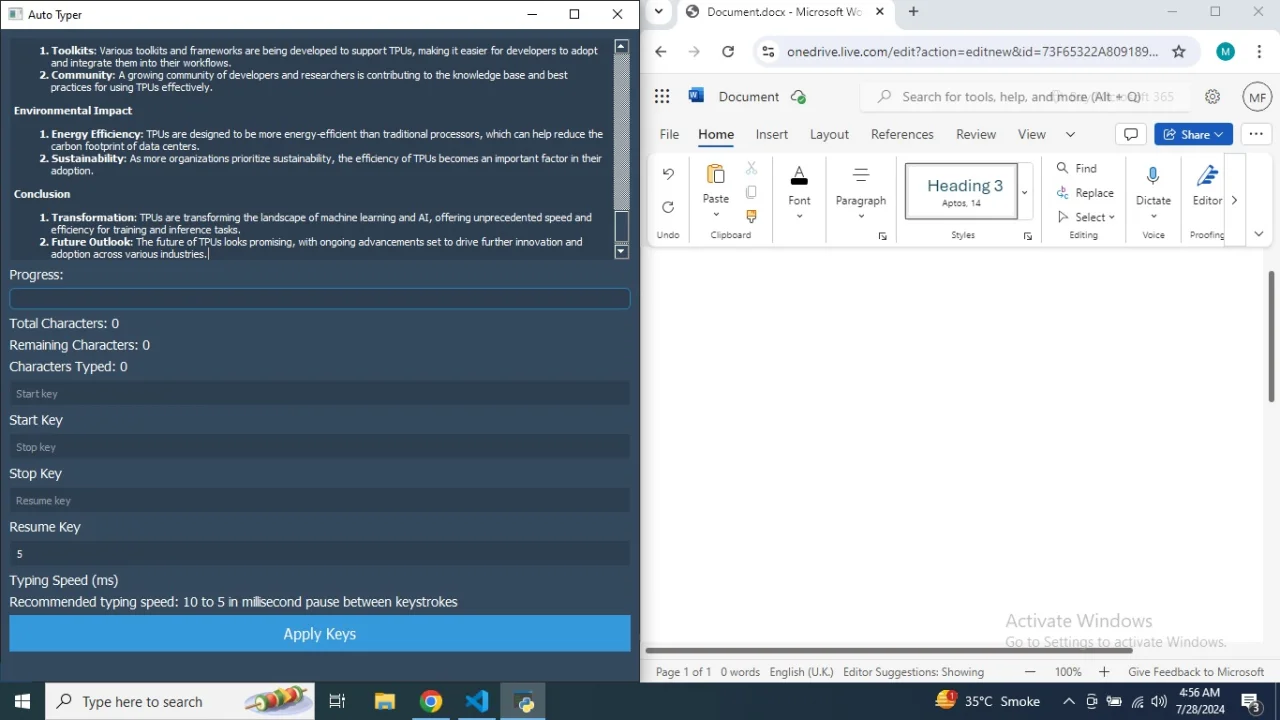
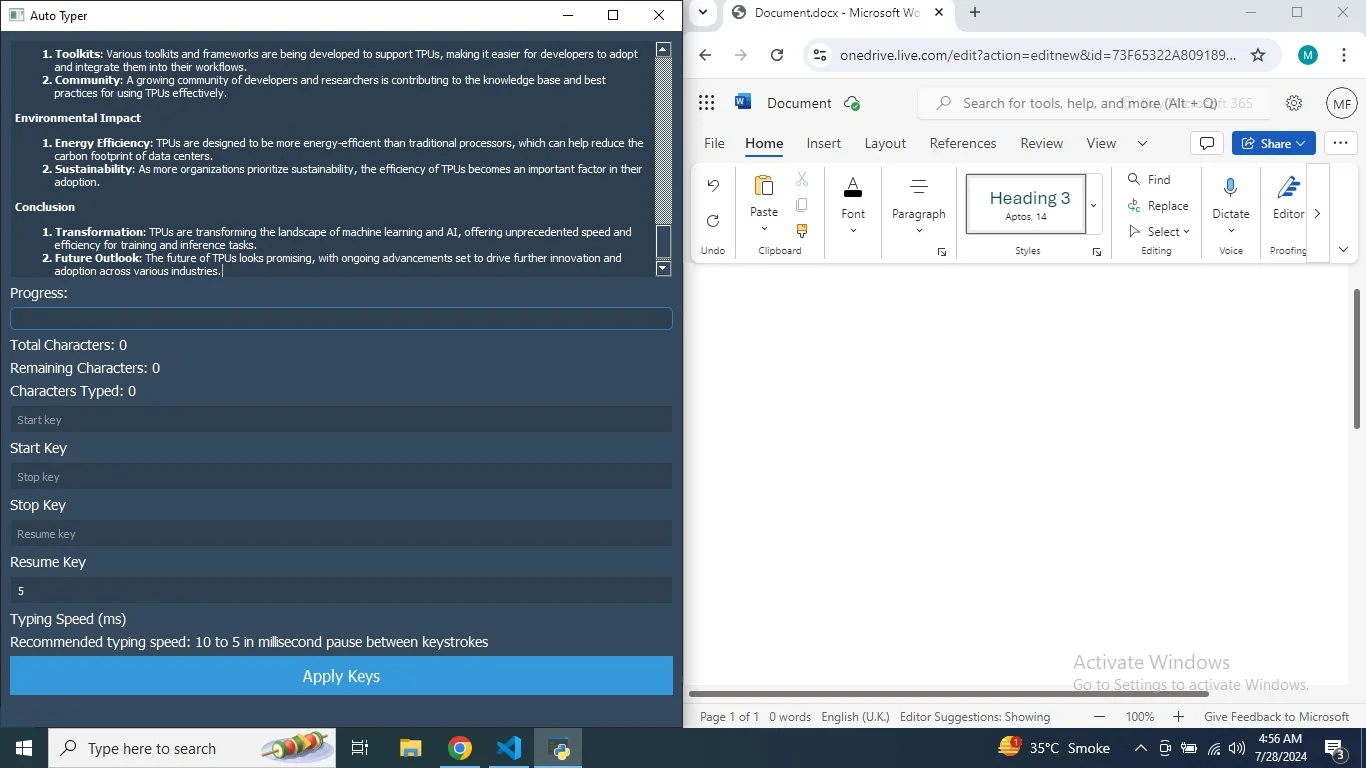
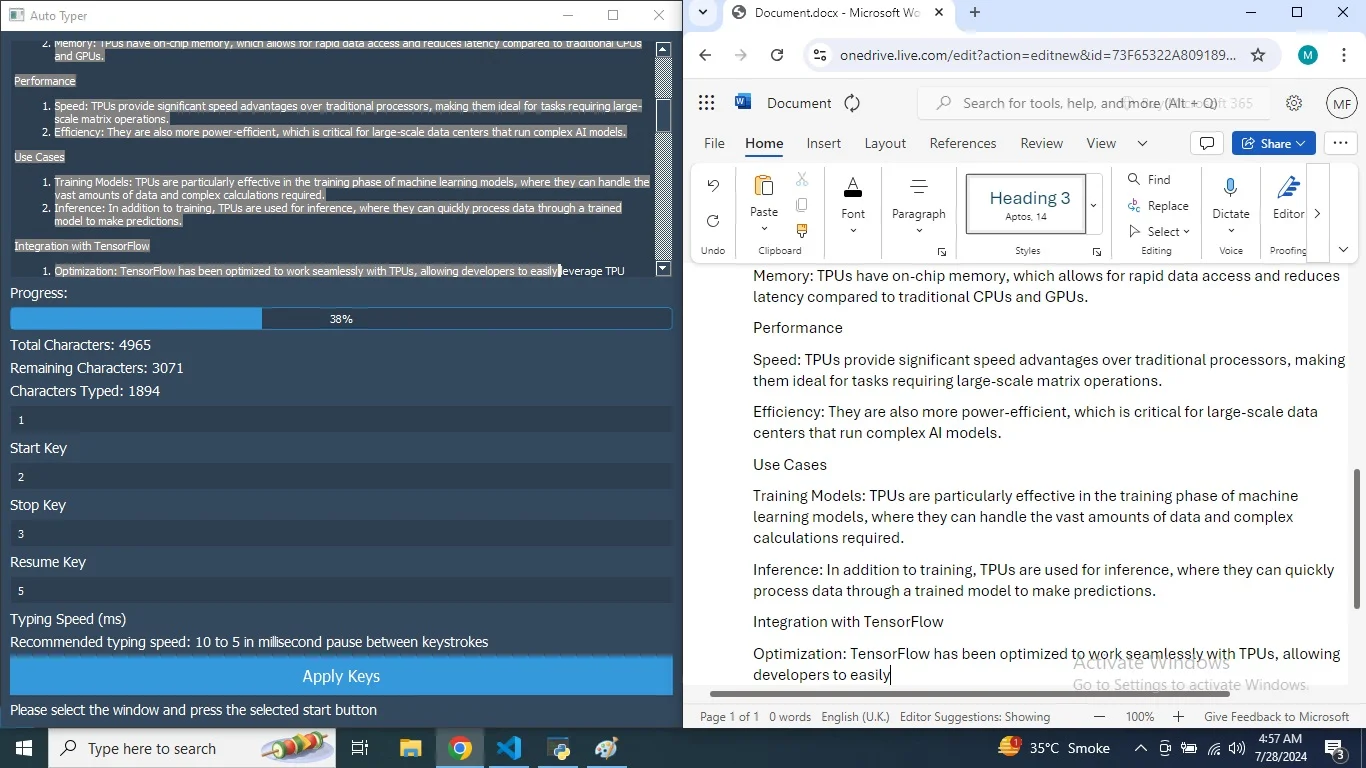
In addition to its speed and versatility, the app provides a user-friendly interface that makes it accessible to users of all skill levels. Setting up the application is straightforward, and you can quickly configure hotkeys to start, stop, and resume typing operations. This intuitive design ensures that even those who are not technically inclined can easily benefit from the app’s powerful features. The interface also includes visual indicators to show typing progress, helping users keep track of their tasks.
Another significant advantage of the Auto Typing App is its ability to handle complex tasks that are otherwise difficult to automate. For instance, it can be used to fill out online forms that require specific navigation and input, or to type text in applications that do not support copy-pasting. This capability makes it an indispensable tool for professionals who need to perform intricate operations with high precision. The app’s robust performance ensures that even the most challenging tasks can be completed efficiently.
Overall, the Auto Typing App is an essential tool for anyone looking to enhance their productivity and streamline their workflow. Its high-speed operation, unlimited uses, and ability to handle complex tasks where copy-pasting is not possible make it a valuable addition to any professional’s toolkit. By automating repetitive typing tasks, the app frees up time for more critical activities, allowing users to focus on what truly matters.
Features
Automated Typing: Simulates keystrokes to automate text entry, ideal for tasks where copy-pasting is not feasible.
Customizable Typing Speed: Allows users to set the typing speed to match their needs, enabling rapid and precise data entry.
Hotkey Configuration: Supports customizable hotkeys to start, stop, and resume typing operations, enhancing ease of use.
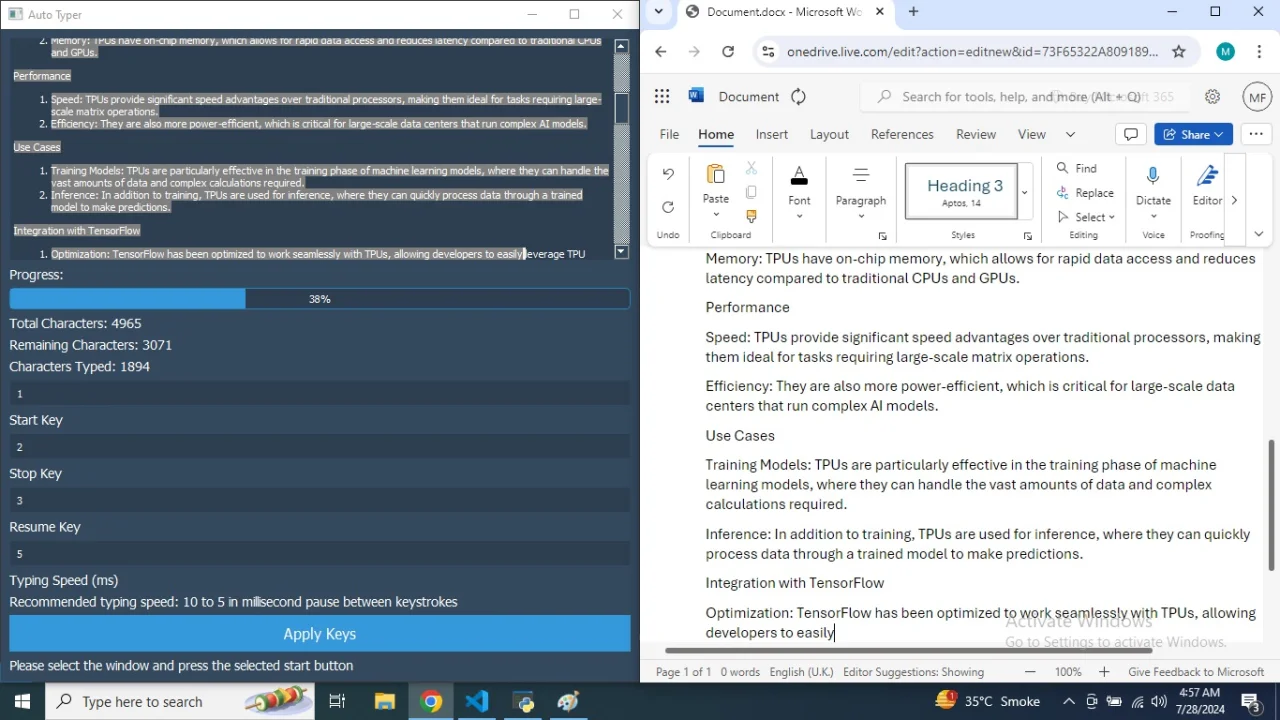
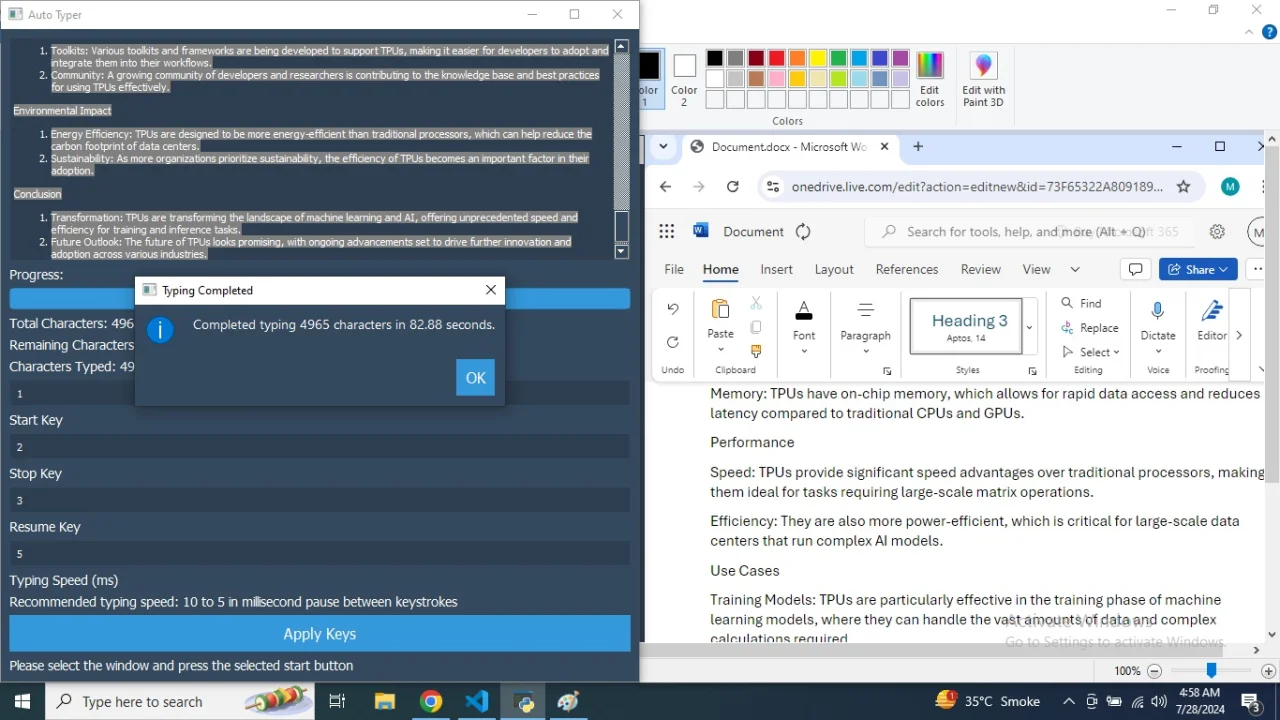
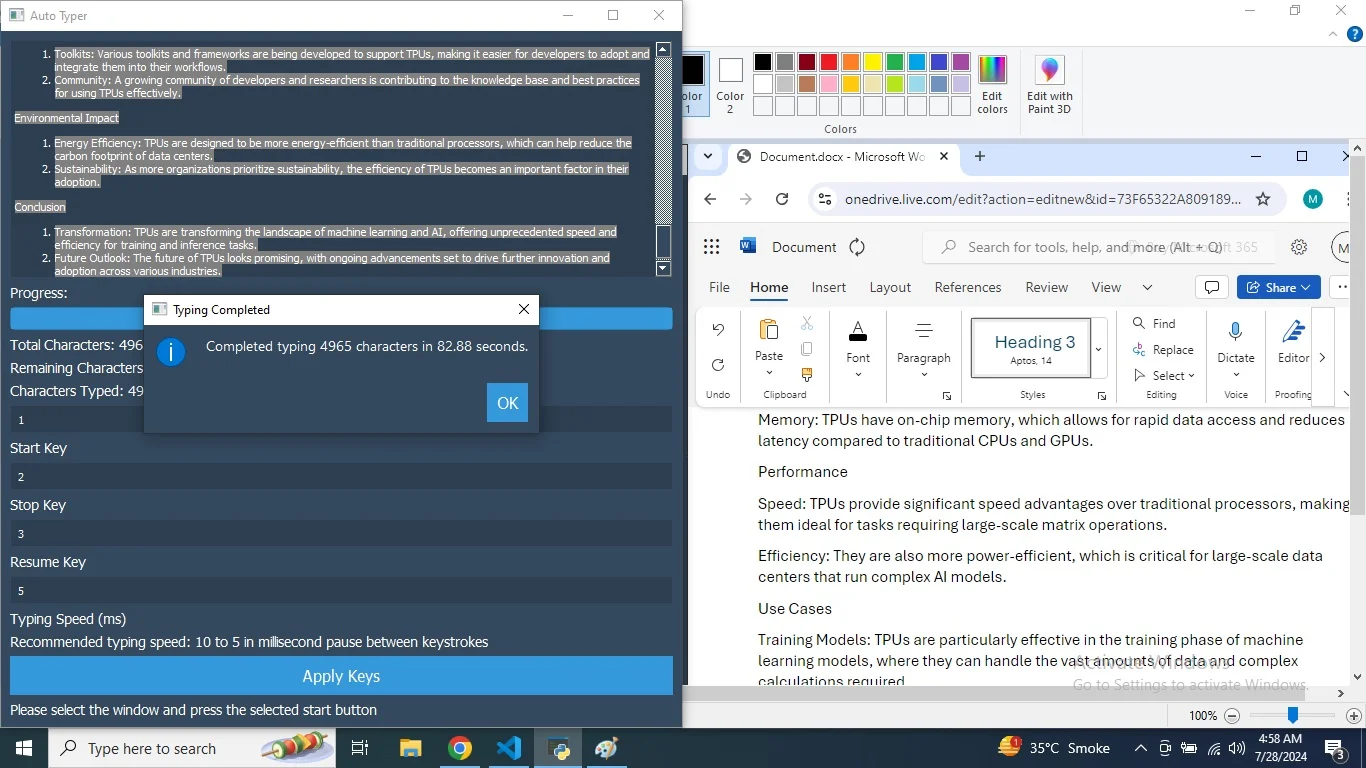
Progress Tracking: Visual indicators show typing progress, including the total number of characters, characters typed, and characters remaining.
Highlighting Typed Text: Highlights text that has been typed with a distinct color to track progress visually within the text box.
Complex Task Handling: Capable of performing intricate tasks that require specific navigation and input, such as filling out online forms.
User-Friendly Interface: Simple and intuitive design ensures accessibility for users of all skill levels, with clear labels and easy-to-use controls.
Multi-Platform Support: Compatible with various applications and environments, making it a versatile tool for different professional settings.
Error Handling: Includes robust error handling to manage interruptions and ensure the typing process continues smoothly.
Flexible Applications: Suitable for a wide range of uses, from administrative tasks and data entry to transcription and coding.
$ 50
- Verified source code
- Join 35541+ buyers which trust us!
- Download code immediately

100% Guarantee For Item!
Satisfaction guarantee policy.
Satisfaction guarantee policy.
Information
| Category | Scripts & Code / Python |
| First Release | 29 July 2024 |
| Files included | .py |
| File Size | 51 MB |
| Frameworks | Python |
Similar Items
Spotlight