
Mohammed Asfaar Uddin Shareef
The calculator is a versatile tool that offers a range of mathematical functions and utilities.
Item Description
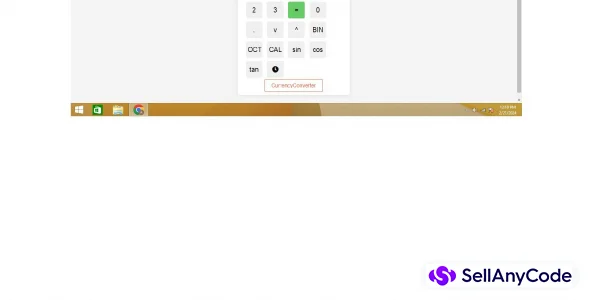
The above calculator performs the following operations: Basic Arithmetic Operations: Addition (+), Subtraction (-), Multiplication (*), and Division (/). Exponentiation: It supports raising a number to a power (^). Square Root: It calculates the square root (√) of a number. Trigonometric Functions: It computes the sine (sin), cosine (cos), and tangent (tan) of an angle measured in degrees. Binary and Octal Conversion: It converts a decimal number to its binary (BIN) and octal (OCT) representations.
Calendar Display: It generates and displays a monthly calendar based on the entered date. These operations cater to basic arithmetic calculations, trigonometric functions, and conversions between different number systems, providing a versatile set of functionalities for mathematical calculations.
Features
clearScreen(): Clears the display screen of the calculator, resetting it to zero.appendToScreen(value): Appends the specified value to the display screen of the calculator. It handles adding numbers, operators, and decimal points.appendOperator(operator): Appends the specified operator to the display screen of the calculator, ensuring that operators are added correctly based on the last character on the screen.calculate(): Evaluates the expression displayed on the screen and displays the result.calculateSquareRoot(): Calculates the square root of the number displayed on the screen and displays the result.calculateBinary(): Converts the number displayed on the screen to its binary representation and displays the result.calculateOctal(): Converts the number displayed on the screen to its octal representation and displays the result.displayMonthlyCalendar(): Displays a monthly calendar based on the date entered in the calculator. It extracts the year and month from the entered date and generates a calendar table for that month.calculateSin(): Calculates the sine of the angle (in degrees) displayed on the screen and displays the result.calculateCos(): Calculates the cosine of the angle (in degrees) displayed on the screen and displays the result.calculateTan(): Calculates the tangent of the angle (in degrees) displayed on the screen and displays the result.displayClock(): Updates the clock display with the current time, showing hours, minutes, and seconds.toggleClock(): Toggles the visibility of the clock and alarm elements. If the clock is hidden, it becomes visible along with the alarm input; otherwise, they are hidden. It also starts or stops the clock interval based on visibility.setAlarm(): Sets an alarm for the specified time entered by the user. If the current time matches the alarm time, it triggers an alert.
- You
- what operations does the above calculator does? give a short description
- ChatGPT
- ChatGPT
- The above calculator performs the following operations:
Basic Arithmetic Operations: Addition (+), Subtraction (-), Multiplication (*), and Division (/).
Exponentiation: It supports raising a number to a power (^).
Square Root: It calculates the square root (√) of a number.
Trigonometric Functions: It computes the sine (sin), cosine (cos), and tangent (tan) of an angle measured in degrees.
Binary and Octal Conversion: It converts a decimal number to its binary (BIN) and octal (OCT) representations.
Calendar Display: It generates and displays a monthly calendar based on the entered date.
These operations cater to basic arithmetic calculations, trigonometric functions, and conversions between different number systems, providing a versatile set of functionalities for mathematical calculations.
$ 15
- Verified source code
- Join 35541+ buyers which trust us!
- Download code immediately

100% Guarantee For Item!
Satisfaction guarantee policy.
Satisfaction guarantee policy.
Information
| Category | Scripts & Code / VB.NET |
| First Release | 21 February 2024 |
| Files included | .html, .css, .cs, .c |
| Frameworks | VB.NET |
Similar Items