

Muzik - Android Music Player App
Muzik Pro Music Player is an advanced, feature-rich music player app designed to provide an exceptional audio experience for users who are passionate about music.
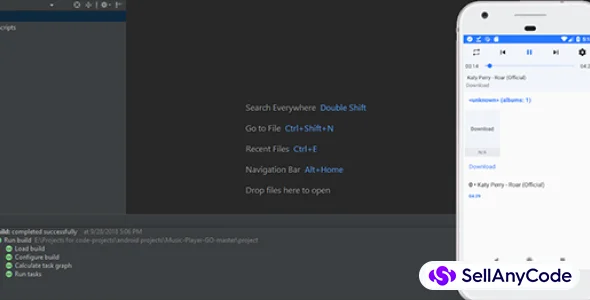
Item Description
Muzik Pro Music Player is an advanced, feature-rich music player app designed to provide an exceptional audio experience for users who are passionate about music. The app is built with a sleek and modern interface that is easy to navigate, ensuring that users can effortlessly access and enjoy their music collection. Muzik Pro is designed to cater to both casual listeners and audiophiles, offering a wide range of customizable features that enhance the listening experience.
Overview of Muzik Pro Music Player
Muzik Pro Music Player aims to stand out in a crowded market by offering unique features that go beyond basic playback. It supports various audio formats, provides powerful equalizer settings, and integrates seamlessly with online music services. Whether users are looking to organize their music library, discover new tracks, or enjoy high-fidelity sound, Muzik Pro has something to offer.
Features
Core Features of Muzik Pro Music Player
Wide Format Support
- Muzik Pro supports a variety of audio formats, including MP3, FLAC, WAV, AAC, and more. This ensures that users can play virtually any audio file without the need for additional codecs or converters.
High-Resolution Audio Playback
- The app is optimized for high-resolution audio playback, allowing users to enjoy their music in the highest possible quality. This feature is particularly beneficial for audiophiles who demand lossless audio quality.
Customizable Equalizer
- Muzik Pro features a powerful equalizer with multiple presets and manual controls. Users can adjust bass, treble, midrange, and other parameters to tailor the sound to their preferences. The app also offers presets for different music genres, such as rock, jazz, classical, and more.
Built-In Audio Effects
- Enhance your listening experience with built-in audio effects like reverb, bass boost, and virtual surround sound. These effects allow users to add depth and dimension to their music.
Playlist Management
- Muzik Pro makes it easy to create, edit, and manage playlists. Users can organize their music by genre, mood, artist, or any other criteria. The app also supports smart playlists, which automatically update based on user-defined rules.
Gapless Playback
- Enjoy uninterrupted music with gapless playback, ensuring that tracks transition smoothly without any pauses or interruptions.
Crossfade
- Muzik Pro includes a crossfade feature that blends the end of one song into the beginning of the next, creating a seamless listening experience.
Lyrics Display
- The app can display synchronized lyrics for the currently playing track, allowing users to sing along. Users can manually add or edit lyrics for their tracks if needed.
Offline Listening
- Muzik Pro allows users to download and store their favorite tracks for offline listening, making it easy to enjoy music without an internet connection.
Intelligent Music Recommendations
- Based on listening habits, Muzik Pro offers intelligent music recommendations, helping users discover new artists and tracks that match their tastes.
Visualizers
- The app includes a variety of music visualizers that create dynamic, animated visuals based on the audio being played. Users can choose from different styles and colors to match their mood or the music.
Theme Customization
- Muzik Pro offers extensive theme customization options, allowing users to change the app's appearance to suit their style. Themes can be adjusted for color, background images, and even icon styles.
Sleep Timer
- Users can set a sleep timer to automatically stop playback after a specified time, perfect for those who like to fall asleep to music.
Lock Screen Controls
- Control playback directly from the lock screen without needing to unlock the device. Muzik Pro provides quick access to play, pause, skip, and rewind functions.
Integration with Streaming Services
- Muzik Pro integrates with popular music streaming services, allowing users to combine their local library with online content. This feature provides access to millions of tracks in addition to personal collections.
Album Art Management
- The app automatically fetches album art for tracks and albums, ensuring that the music library looks visually appealing. Users can also manually add or update album art if desired.
Podcast Support
- In addition to music, Muzik Pro supports podcasts, making it a versatile app for all audio content. Users can subscribe to, download, and listen to their favorite podcasts within the app.
Audio Bookmarks
- Users can create bookmarks within tracks, making it easy to return to specific points in songs, podcasts, or audiobooks.
Multilingual Support
- Muzik Pro is available in multiple languages, catering to a global audience.
Cloud Sync
- Muzik Pro supports cloud synchronization, allowing users to back up their playlists, settings, and music library to the cloud. This ensures that their data is safe and can be accessed across multiple devices.
Folder Browsing
- Users who prefer to organize their music by folders can browse their library directly from the file system, making it easy to find and play specific tracks.
Voice Control
- Muzik Pro includes voice control features, allowing users to manage playback, search for tracks, or adjust settings using voice commands.
Audiobook and Podcast Speed Control
- For audiobooks and podcasts, users can adjust the playback speed, speeding up or slowing down the audio to match their listening preferences.
Auto Tagging and Metadata Editing
- Muzik Pro automatically retrieves metadata for tracks, such as artist, album, and genre information. Users can also manually edit metadata to ensure their library is accurately organized.
Queue Management
- The app offers a robust queue management system, allowing users to add, rearrange, or remove tracks from the current playback queue on the fly.
Multi-Device Sync
- Muzik Pro can sync playback progress and playlists across multiple devices, ensuring a seamless experience whether you're using a phone, tablet, or computer.
Advanced Search
- The app includes an advanced search function that allows users to quickly find tracks, albums, or artists in their library. Filters can be applied to narrow down results.
Gesture Controls
- Muzik Pro supports gesture controls for playback, allowing users to swipe or tap on the screen to control their music without needing to look at their device.
Scrobbling Support
- The app integrates with services like Last.fm to scrobble tracks, allowing users to keep track of their listening history and discover new music based on their habits.
Audiobook Support
- Muzik Pro is also equipped to handle audiobooks, with features like chapter navigation, speed control, and bookmarks tailored specifically for audiobook listeners.
Equalizer Presets and Profiles
- In addition to manual equalizer controls, Muzik Pro offers preset profiles for different genres, environments (like outdoor or indoor), and audio devices (like headphones or speakers).
Music Sharing
- Users can share their favorite tracks or playlists directly from Muzik Pro via social media, messaging apps, or email.
Compact Widget
- The app includes a compact widget for home screens, allowing users to control their music without opening the app.
Album and Artist Info
- Muzik Pro fetches detailed information about artists and albums, providing users with context and background while they listen.
Playback Statistics
- Users can view detailed playback statistics, including the most played tracks, total listening time, and listening trends over time.
Regular Updates and Support
- Muzik Pro is regularly updated with new features and improvements based on user feedback, ensuring that the app evolves to meet the needs of its users.
With these features, Muzik Pro Music Player aims to provide a comprehensive and personalized music experience, catering to a wide range of users from casual listeners to dedicated audiophiles.
$ 55
- Verified source code
- Join 35542+ buyers which trust us!
- Download code immediately

100% Guarantee For Item!
Satisfaction guarantee policy.
Satisfaction guarantee policy.
Information
| Category | App Templates / Android |
| First Release | 14 August 2024 |
| Platforms | Android 8.0, Android 9.0, Android 10.0 |
| Files included | .java |
| File Size | 10 MB |
| Frameworks | Android |
Similar Items