


PDF Locker
Lock or unlock PDFs in bulk with high-speed processing and real-time updates.
Item Description
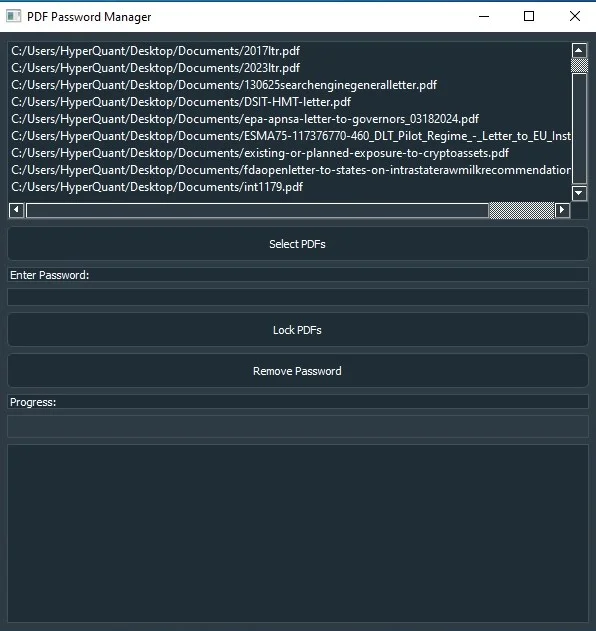
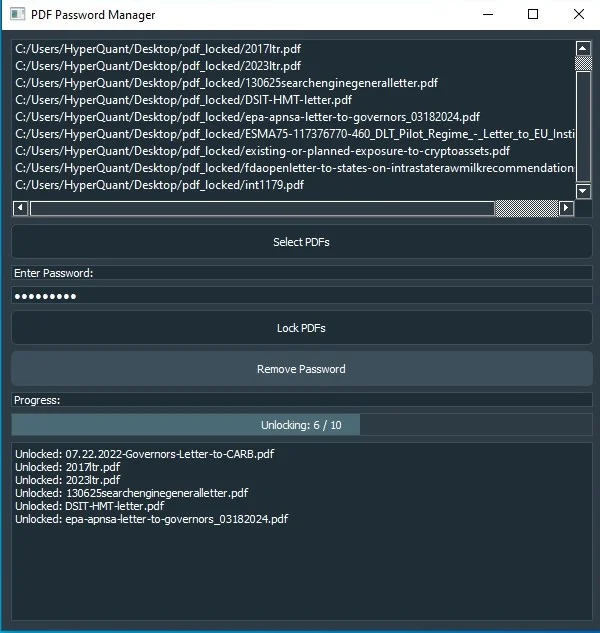
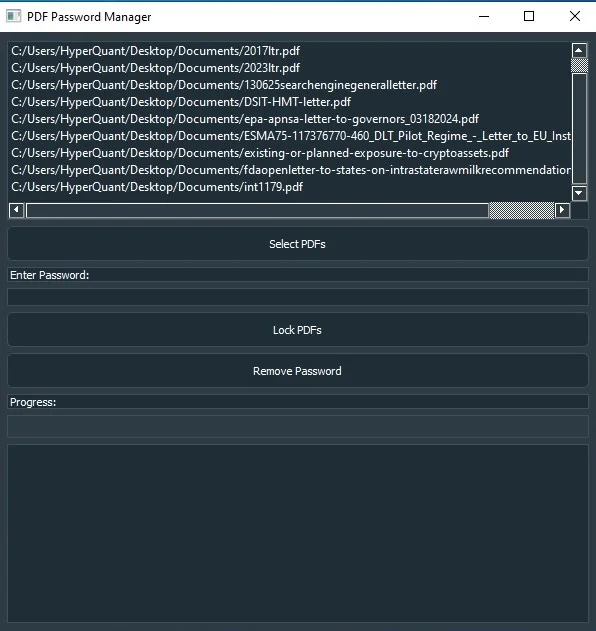
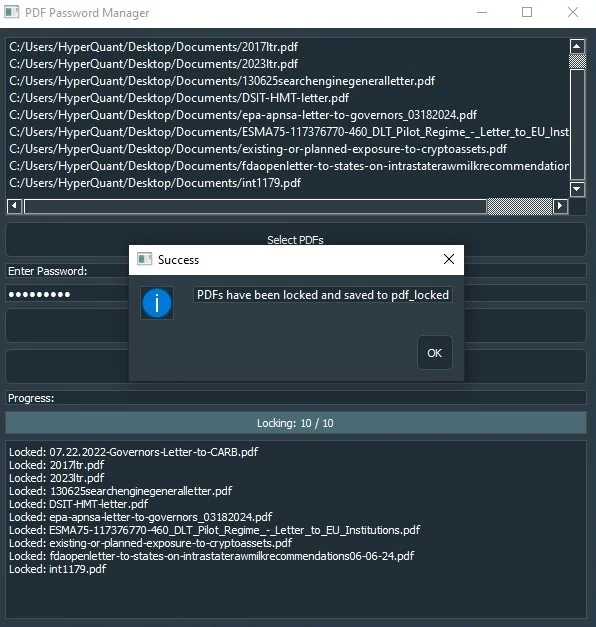
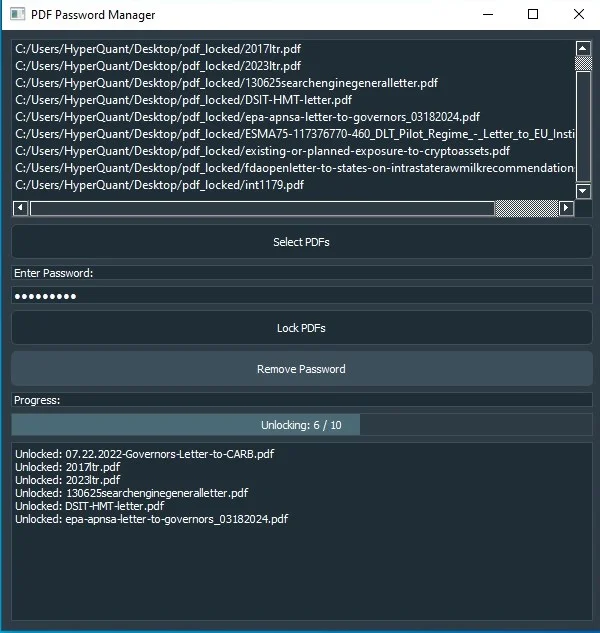
The PDF Password Manager is a versatile application designed to help you lock or unlock multiple PDF files with ease. Whether you're securing sensitive documents or removing passwords for easier access, this tool simplifies the process with a user-friendly interface built using PyQt5. With batch processing capabilities, you can handle large numbers of files simultaneously, saving time and effort.
One of the standout features of this application is its high-speed performance. It's optimized to process files quickly, ensuring that even large batches are managed efficiently. Whether you're locking PDFs with a password or unlocking them, the application delivers results fast, making it ideal for both personal and professional use.
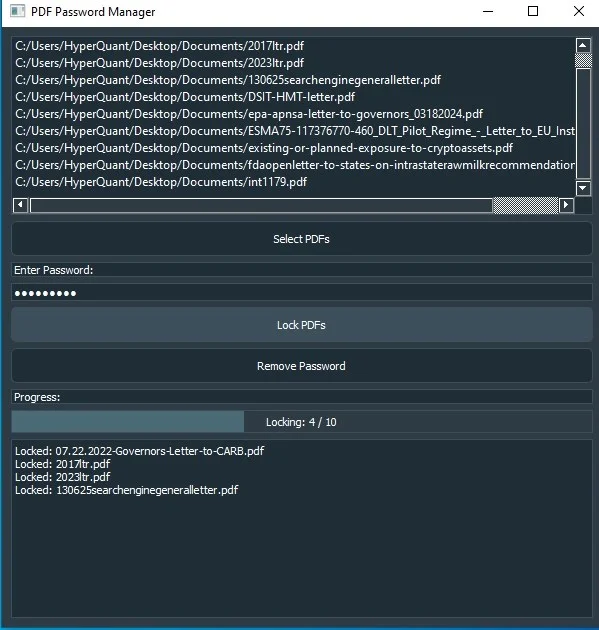
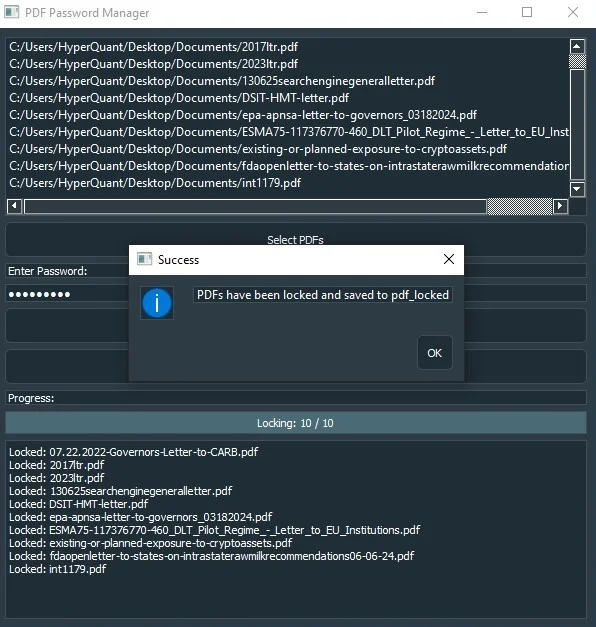
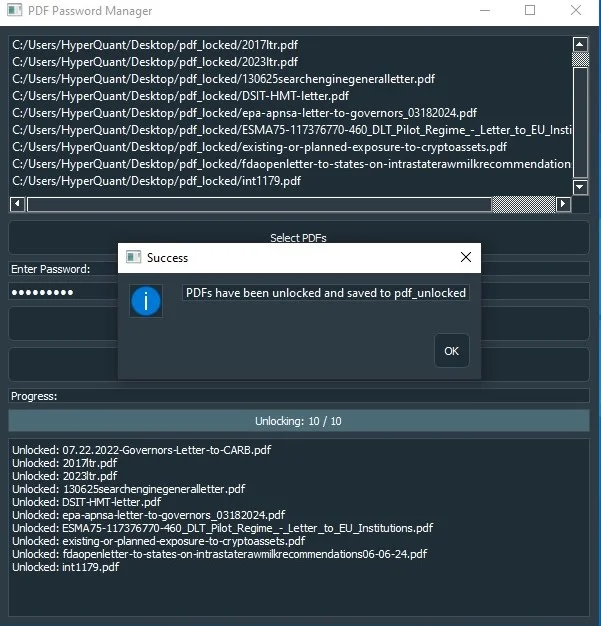
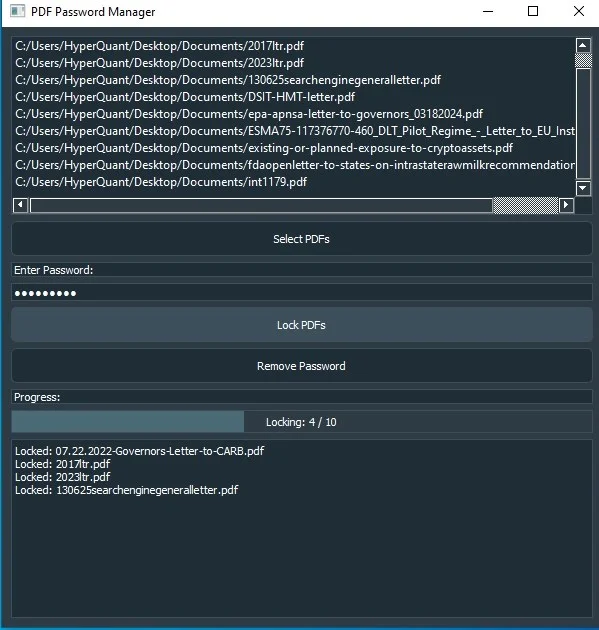
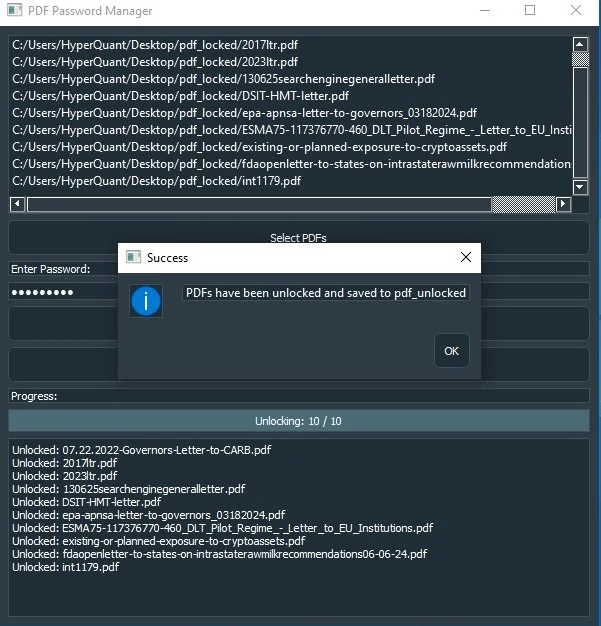
The interface is designed with simplicity in mind, allowing users of all experience levels to navigate the application easily. You can select files, enter passwords, and manage security settings with just a few clicks. The application also includes a progress bar that provides real-time feedback on the status of your operations, so you always know how much work remains.
Error handling is another key feature of the PDF Password Manager. If the application encounters an issue with a file, such as a corrupted PDF, it will automatically skip that file and proceed with the rest of the batch. This ensures that your workflow is not interrupted by individual errors, making the application more reliable and user-friendly.
Aesthetically, the application features a modern theme with medium dark blue and gray colors, providing a visually appealing experience. The sleek design enhances usability, making it easier to focus on the task at hand without distractions. The application also includes clear status messages, ensuring that you are informed of any issues that arise during processing.
Overall, the PDF Password Manager is a powerful tool for anyone who regularly works with PDF files. Whether you're protecting sensitive information or simplifying document access, this application offers a fast, reliable, and user-friendly solution to managing PDF passwords in bulk.
Features
- Batch Processing: Lock or unlock multiple PDF files simultaneously to save time.
- High-Speed Performance: Optimized for fast processing, even with large batches of PDFs.
- User-Friendly Interface: Easy-to-navigate PyQt5 interface suitable for users of all experience levels.
- Real-Time Progress Updates: A progress bar and status messages keep you informed throughout the process.
- Error Handling: Automatically skips problematic files and continues processing the rest without interruption.
- Secure PDF Locking: Apply strong passwords to protect your PDF files.
- Password Removal: Easily unlock PDFs by removing existing passwords with just a few clicks.
- Modern Aesthetic Design: Sleek medium dark blue and gray theme for a visually appealing user experience.
- Comprehensive Status Display: Detailed status updates for each file, including any errors encountered.
- Cross-Platform Compatibility: Works on any Windows system, making it versatile and accessible.
$ 25
- Verified source code
- Join 35541+ buyers which trust us!
- Download code immediately

100% Guarantee For Item!
Satisfaction guarantee policy.
Satisfaction guarantee policy.
Information
| Category | Scripts & Code / Python |
| First Release | 15 August 2024 |
| Files included | .py |
| File Size | 26 MB |
| Frameworks | Python |
Similar Items