
 Spotlight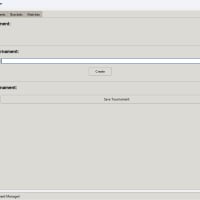
Tournament Manager and Bracket Simulation System (GUI)
This Python program provides a robust and user-friendly solution for managing, simulating, and visualizing various tournament brackets.
Item Description
The primary purpose of this application is to streamline the process of tournament planning and execution, especially for amateur leagues, gaming events, or personal simulations. It eliminates the need for manual bracket drawing and result tracking by automating the generation of match schedules and simulating outcomes based on customizable participant attributes.
Features
Key Features
Intuitive Graphical User Interface (GUI):
Built using tkinter with ttk (Themed Tkinter) for a modern, cross-platform appearance.
Features a tabbed interface (ttk.Notebook) to logically separate functionalities:
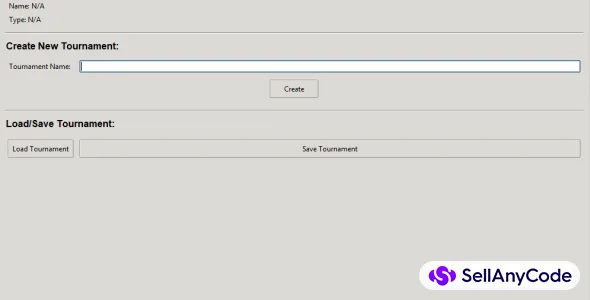
Tournament Tab: For creating new tournaments, loading existing ones, and saving current progress. Displays current tournament's name, type, and simulated winner.
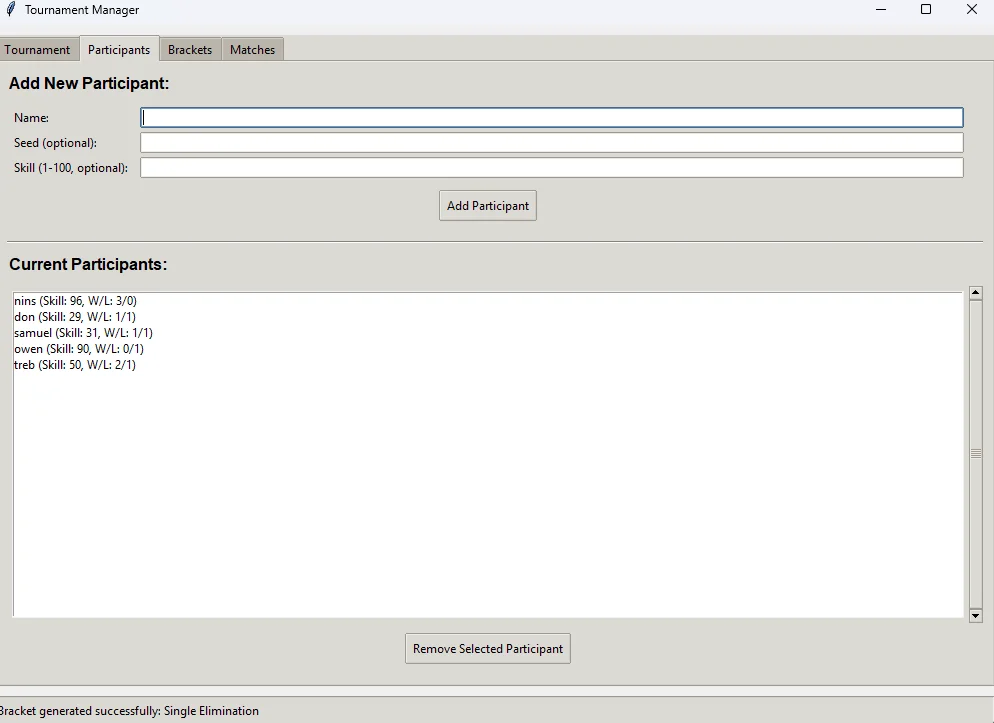
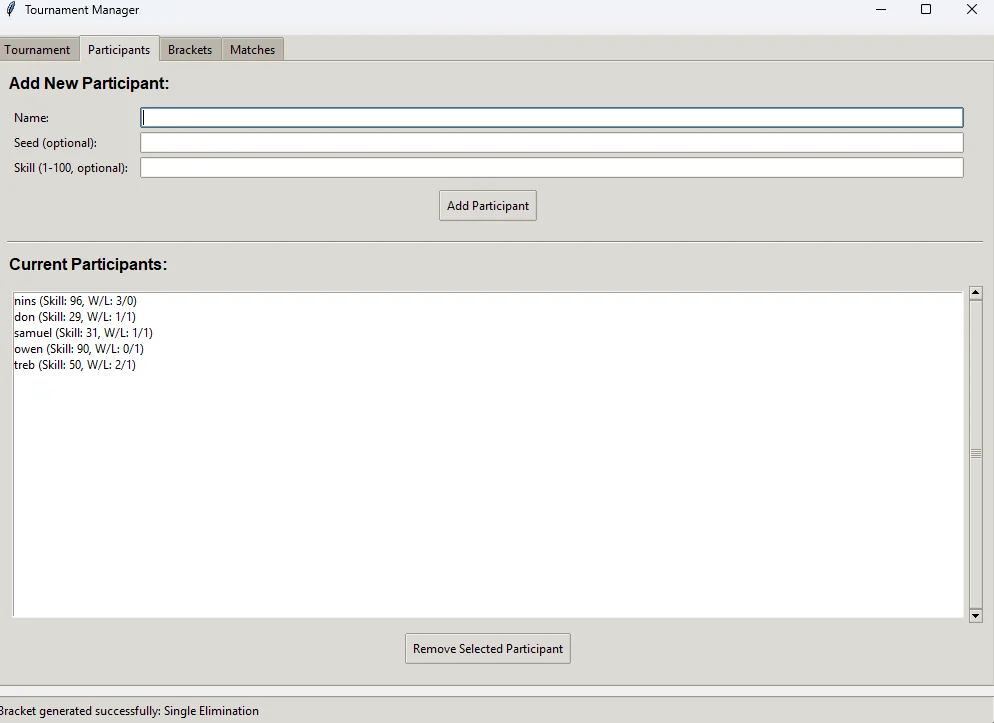
Participants Tab: For adding new players/teams with customizable attributes, viewing the list of current participants, and removing entries.
Brackets Tab: Where users select the tournament format and trigger bracket generation. Contains specific options for complex formats like Group Stage.
Matches Tab: Displays a detailed history of all generated and simulated matches, organized by round.
Flexible Participant Management:
Users can add participants by name.
Optional Seed: Assign numerical seeds (e.g., 1, 2, 3...) to participants, which the bracket generation logic can utilize for strategic pairings.
Optional Skill: Assign a numerical skill rating (1-100) to each participant. This skill level is used to realistically (but simply) simulate match outcomes, where higher-skilled participants are more likely to win. Random outcomes occur if skills are equal or not provided.
Tracks Wins and Losses for each participant throughout the simulated tournament.
Diverse Bracket Generation Types:
The program supports generating brackets for five common tournament formats:
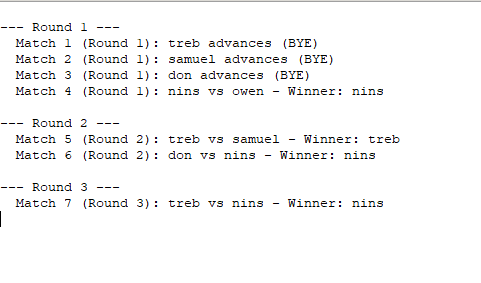
Single Elimination: A classic knockout style where one loss leads to elimination. Handles varying participant counts by automatically inserting "BYE" slots, typically benefiting higher-seeded participants.
Double Elimination: A more complex format where participants are eliminated only after two losses. The system simulates matches across both a "Winners Bracket" and a "Losers Bracket," leading to a Grand Finals.
Round Robin: Every participant plays against every other participant once. The system schedules all pairings and calculates final standings based on wins.
Group Stage & Knockout: Mimics major international tournaments (e.g., FIFA World Cup, Champions League). Participants are first randomly distributed into multiple groups, where they play round-robin matches. A specified number of top teams from each group then advance to a single-elimination knockout stage.
March Madness Style: A specialized single-elimination bracket traditionally for 64 teams. While the full regional breakdown and intricate seed placement (e.g., 1 vs 16, 8 vs 9 within regions) is a highly complex visualization challenge, this implementation simulates a large, seeded single-elimination tournament, handling the 64-team structure for realistic match progression.
Automated Match Simulation:
Each generated match is automatically simulated.
The outcome (winner and loser) is determined primarily by the participants' skill ratings. If skills are identical, a winner is chosen randomly.
Participant wins and losses are updated in real-time.
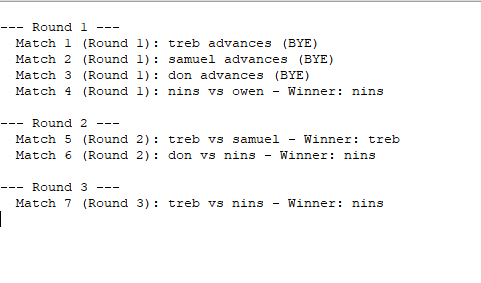
Comprehensive Bracket Chart Review:
A standout feature that provides a structured, text-based visual representation of the entire tournament flow in a new pop-up window.
Unlike just listing matches, this chart intelligently formats the bracket based on the selected tournament type:
Single/March Madness: Shows clear round-by-round progression of winners.
Round Robin: Presents match schedules by round, followed by final participant standings (wins/losses).
Group Stage & Knockout: Separates group-stage matches and standings from the subsequent knockout phase, indicating advancing teams.
Double Elimination: Outlines the parallel paths of the Winners Bracket and Losers Bracket, clearly marking where participants drop down or are eliminated, culminating in the Grand Finals.
Utilizes ScrolledText for easy navigation of large brackets.
Data Persistence:
Allows users to save the entire tournament state (including participants, their stats, and all generated matches) to a JSON file.
Load functionality enables users to resume their tournament management from a previously saved file, preserving all progress and settings.
Core Architectural Components
The program is built with an Object-Oriented Programming (OOP) approach, comprising three main classes:
Participant Class: Represents an individual player or team, storing their name, optional seed, skill, current wins, losses, group assignment (for group stages), and elimination status. Includes methods for JSON serialization (to_dict) and deserialization (from_dict).
Match Class: Represents a single match between two participants within a specific round. It stores references to the participants, the round name, and the simulated winner/loser. It also includes methods for JSON serialization and deserialization.
Tournament Class: The central control class. It manages the collection of Participant objects, orchestrates the generation logic for each tournament type, performs match simulations (_simulate_match), and maintains a list of all Match objects. It also handles the overall tournament saving and loading.
Technical Foundation
Language: Python 3.x
GUI Framework: tkinter (specifically tkinter.ttk for themed widgets)
Data Storage: JSON (for easy serialization and deserialization of objects)
Mathematics: math module (for power-of-2 calculations in single/double elimination)
Randomization: random module (for skill assignment and match outcomes)
File System Interaction: os and tkinter.filedialog
Usage
Run the Script: Execute python your_script_name.py.
Create Tournament: Start by creating a new tournament on the "Tournament" tab.
Add Participants: Go to the "Participants" tab to add players or teams, specifying their name, optional seed, and skill.
Generate Bracket: Navigate to the "Brackets" tab, select your desired tournament type, and click "Generate Bracket." For Group Stage, specify group numbers.
View Results: Check the "Matches" tab for a detailed history of all simulated games.
Review Bracket Chart: On the "Brackets" tab, click "View Bracket Chart" to see the full, structured overview of the tournament's progression.
Save/Load: Use the "Tournament" tab to save your tournament progress or load a previously saved one.
This comprehensive program serves as a robust foundation for tournament management, providing an intuitive GUI and powerful simulation capabilities to plan and visualize sporting or gaming events efficiently.
$ 20
- Verified source code
- Join 35541+ buyers which trust us!
- Download code immediately

100% Guarantee For Item!
Satisfaction guarantee policy.
Satisfaction guarantee policy.
Information
| Category | Scripts & Code / Python |
| First Release | 20 July 2025 |
| Files included | .py |
| Frameworks | Python |
Similar Items