

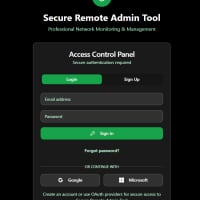
Secure Remote Guardian Shield
Real Time Network monitoring Tool - Sever Management and AI Security Platform
Item Description
https://lovable.dev/projects/ed19db19-cd90-4fe4-a30a-e6c1ce3911fd
Features
- SecureRAT Enterprise Tool
- Complete Feature Documentation
- Generated: 9/14/2025, 11:55:59 AM
- TABLE OF CONTENTS
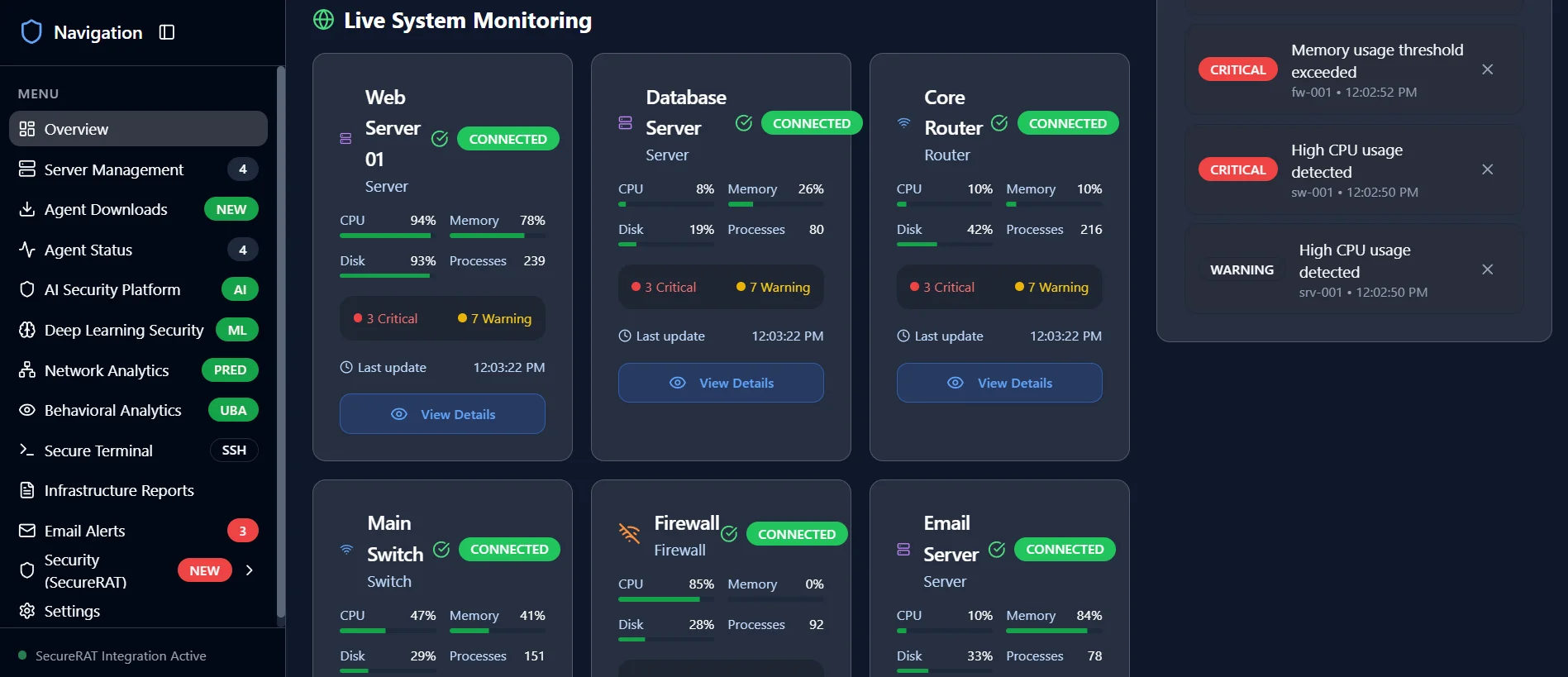
- Navigation Structure and Sidebar Menus
- Dashboard Overview and Statistics
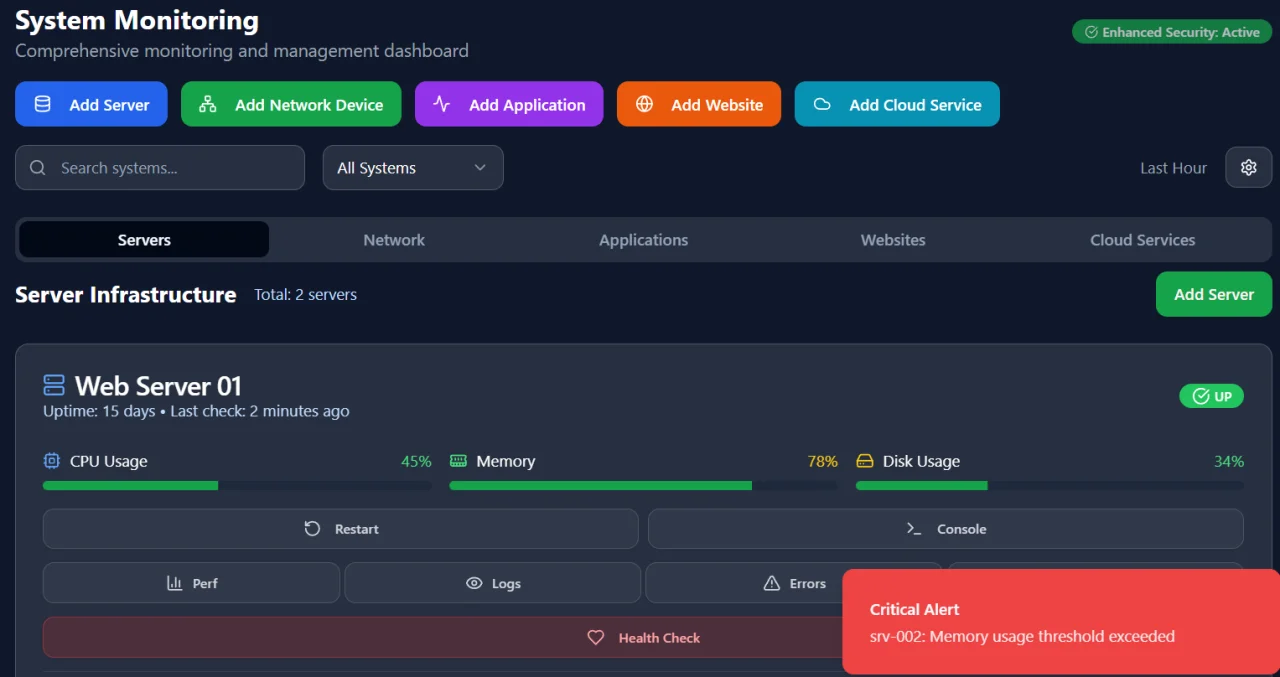
- Server Management System
- Secure Terminal Access
- Infrastructure Reports
- Security Requirements Automation (SecureRAT)
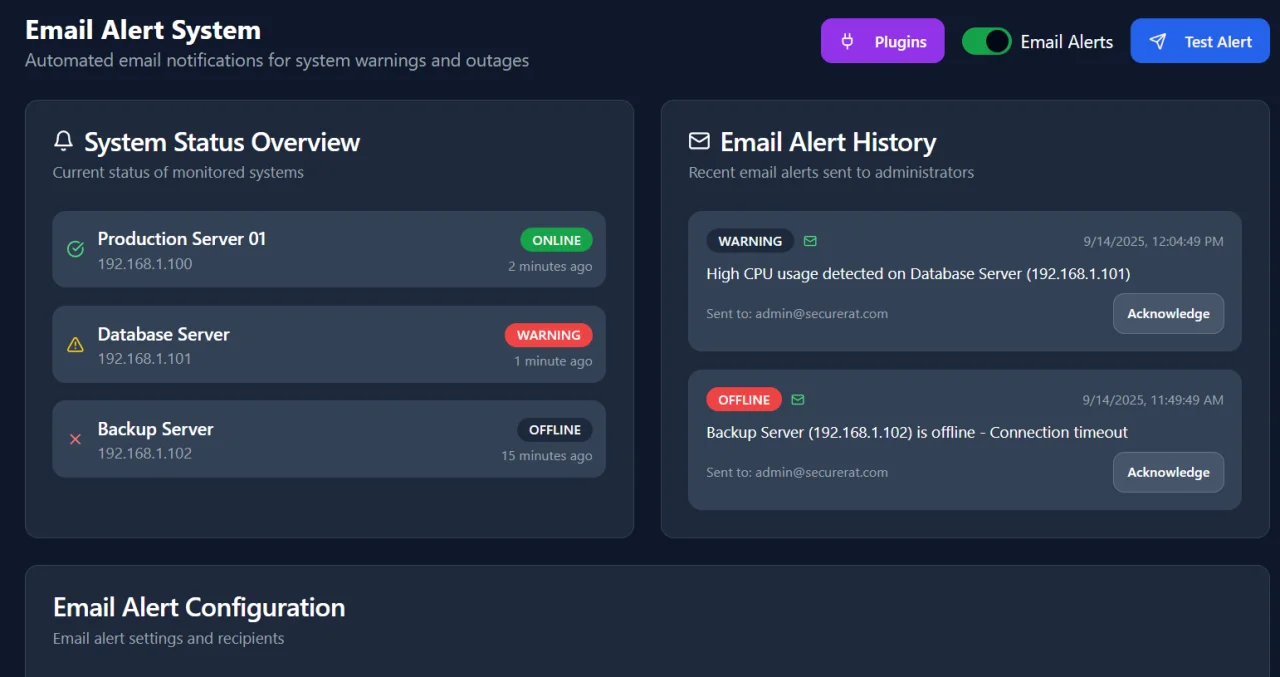
- Email Alert System
- Settings and Configuration
- Monitoring Systems
- Network Management
- Application Monitoring
- Interactive Elements Summary
- NAVIGATION STRUCTURE AND SIDEBAR MENUS
- The main navigation sidebar provides access to all system features:
- OVERVIEW (Dashboard Icon)
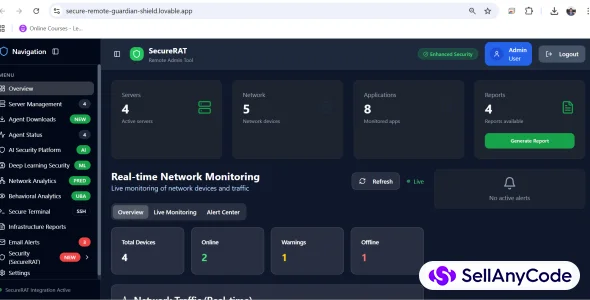
- Main dashboard view with real-time statistics
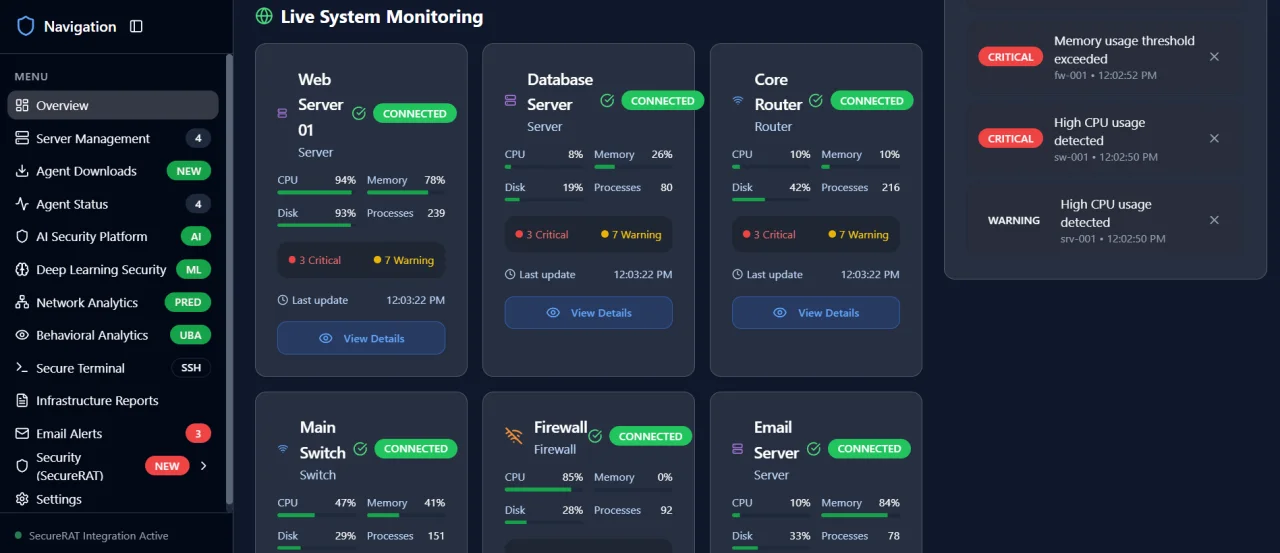
- Live system monitoring cards
- Performance metrics and alerts
- SERVER MANAGEMENT (Server Icon) - Badge: 4 servers
- Server monitoring and control
- Performance metrics tracking
- Server configuration and management
- SECURE TERMINAL (Terminal Icon) - Badge: SSH
- Remote terminal access
- Multi-device connection support
- Command execution and monitoring
- ADD DEVICE button for adding new remote devices
- INFRASTRUCTURE REPORTS (File Icon)
- System performance reports
- Security assessment reports
- PDF brochure generation
- EMAIL ALERTS (Mail Icon) - Badge: 3 critical alerts
- Alert configuration and management
- Notification settings
- Alert history and analytics
- SECURITY (SecureRAT) (Shield Icon) - Badge: NEW
- Requirements Manager
- Vulnerability Scanner with RUN FULL AUDIT button
- Compliance Tracker
- Risk Assessment
- GENERATE REPORTS button for audit reports
- SETTINGS (Settings Icon)
- Account configuration
- System preferences
- Security settings
- DASHBOARD OVERVIEW AND STATISTICS
- The main dashboard provides comprehensive system overview:
- STATISTICS CARDS:
- Server Count: 4 active servers
- Network Count: 5 network devices
- Application Count: 8 monitored applications
- Website Count: 3 monitored websites
- REAL-TIME MONITORING:
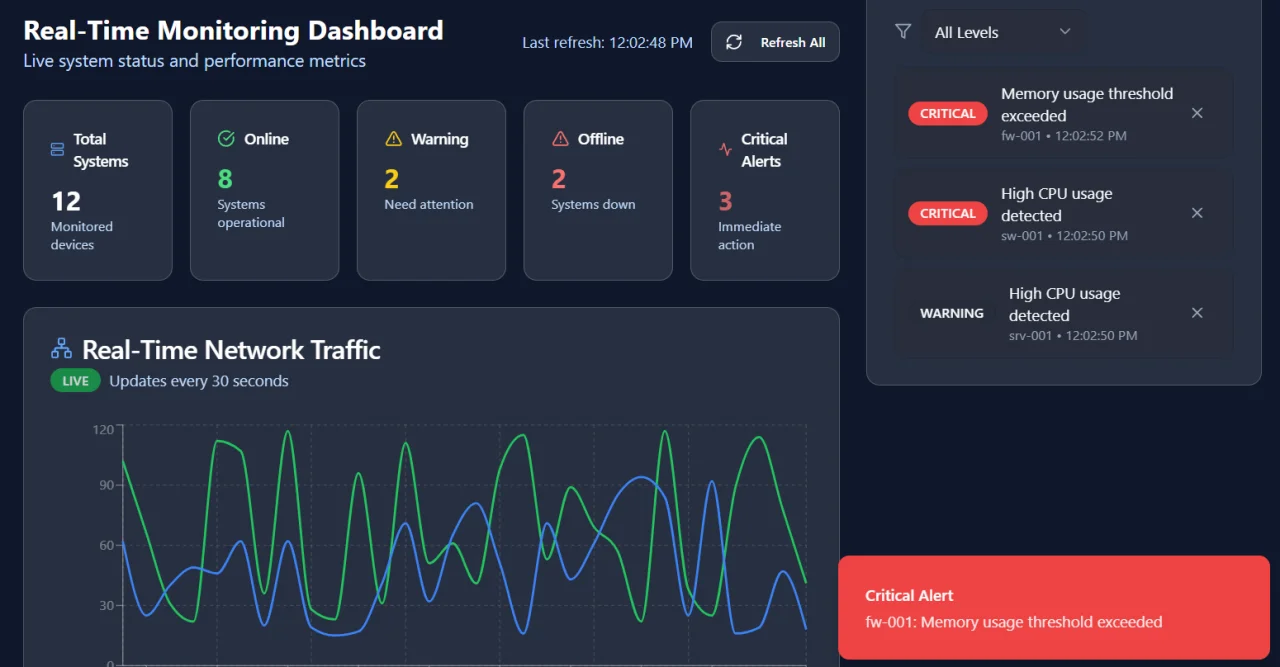
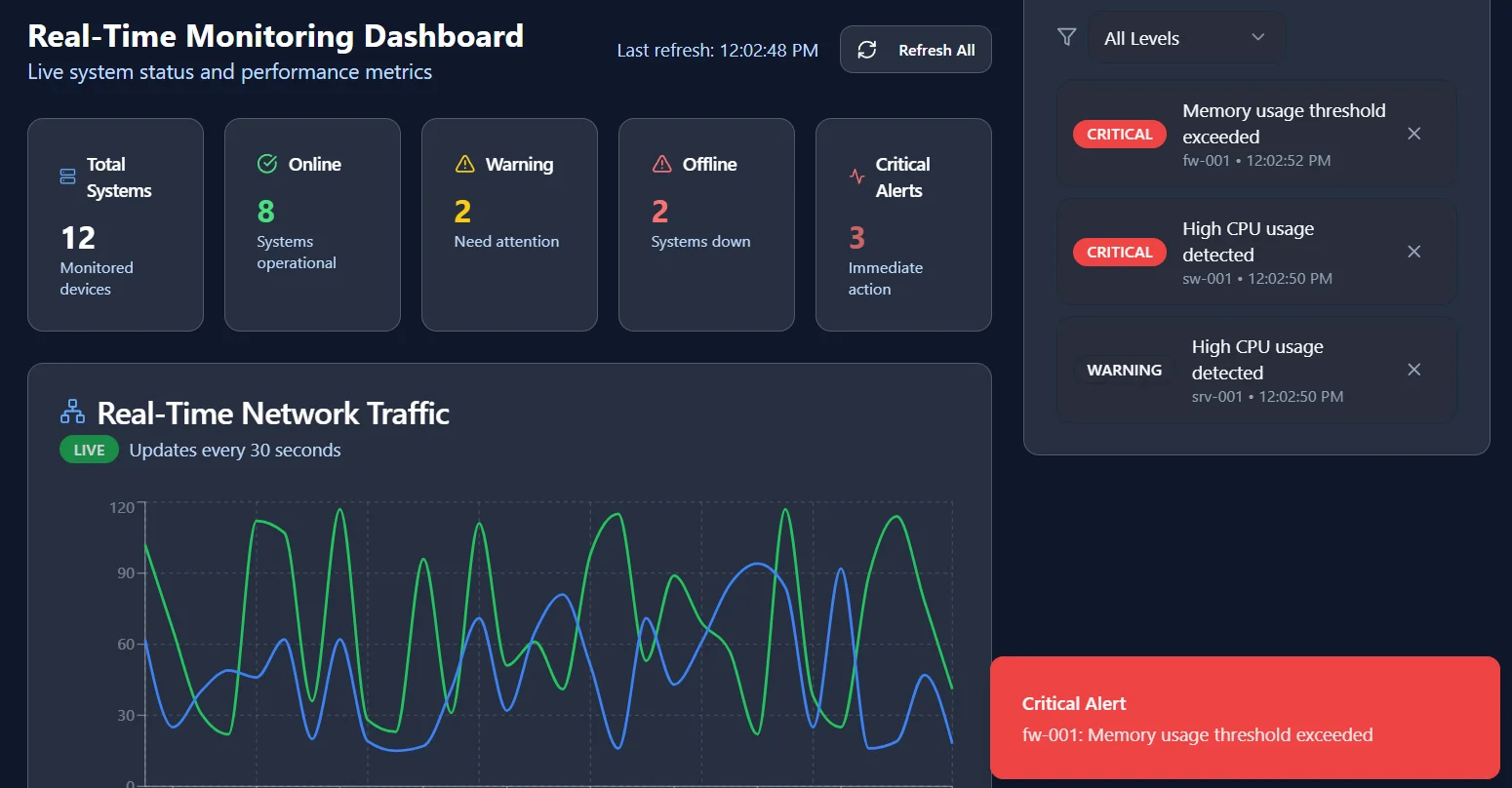
- Live system metrics with auto-refresh capability
- Performance graphs and interactive charts
- Real-time alerts panel with severity indicators
- System health indicators with color-coded status
- Network status monitoring with latency tracking
- INTERACTIVE ELEMENTS:
- Real-Time Toggle Switch for live monitoring
- Run Health Check Button for system diagnostics
- Quick Actions Dropdown menu
- VIEW DETAILS buttons on each system card
- LAST HOUR SETTINGS button for time-based monitoring
- SERVER MANAGEMENT SYSTEM
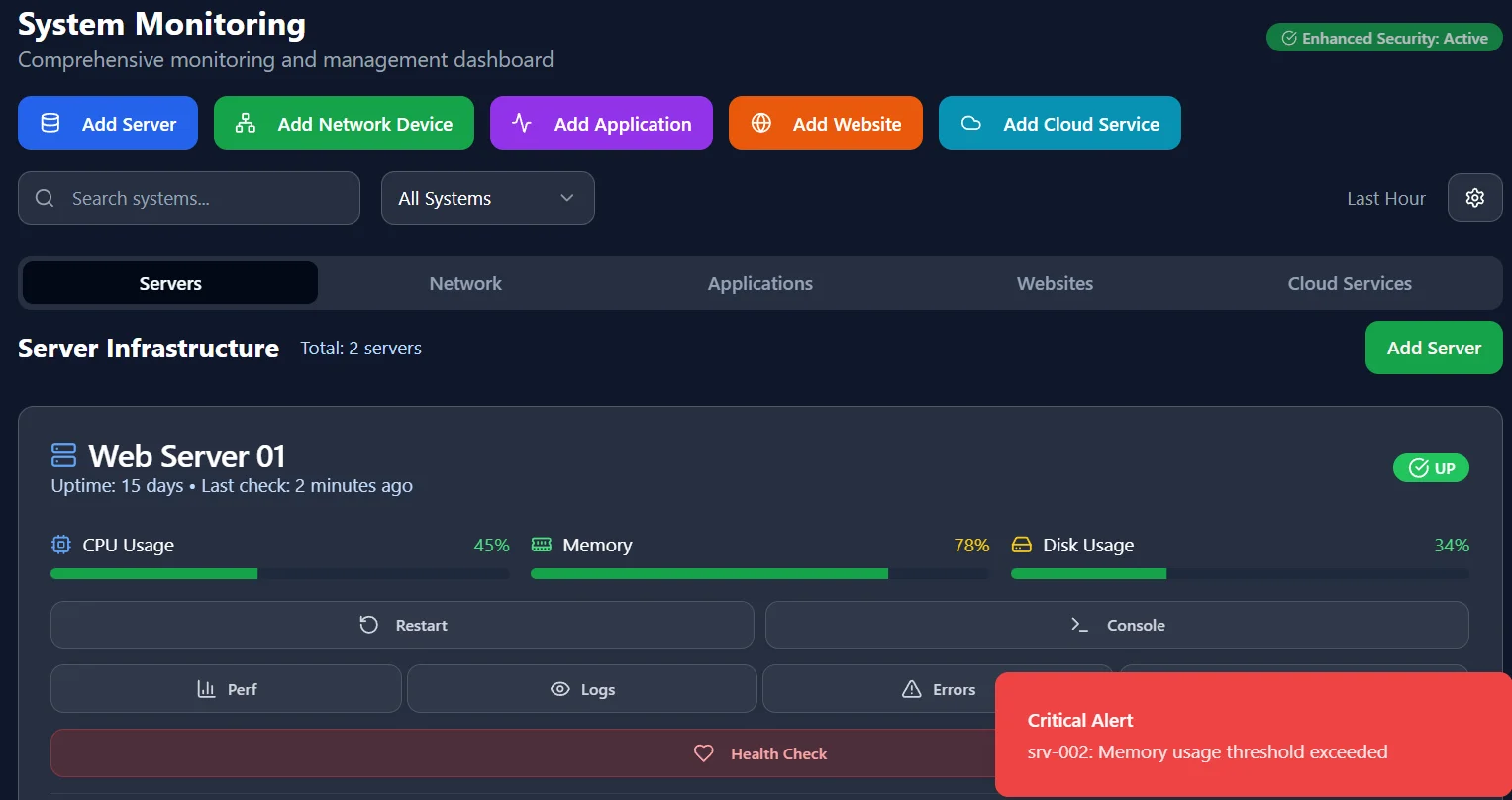
- Comprehensive server monitoring and management interface:
- SERVER MONITORING FEATURES:
- Real-time server status indicators (Online/Warning/Offline)
- CPU, Memory, and Disk usage meters
- Uptime tracking with historical data
- Last check timestamps for each server
- Process monitoring and service status
- SERVER ACTIONS:
- Restart Server button for remote restart
- Run Diagnostics for system health checks
- View Logs for troubleshooting
- Configure Alerts for threshold settings
- SSH Connect for direct terminal access
- SERVER MANAGEMENT:
- Add Server functionality with configuration wizard
- Automatic server discovery
- Connection testing and validation
- Performance baseline establishment
- SECURE TERMINAL ACCESS
- Enhanced remote terminal with multi-device support:
- TERMINAL INTERFACE:
- Multi-tab support for concurrent sessions
- Command history and auto-completion
- Syntax highlighting for better readability
- File transfer capabilities
- Session recording for audit purposes
- DEVICE MANAGEMENT:
- ADD DEVICE button (ENABLED) for adding new remote devices
- Connected devices panel with status indicators
- Quick connect buttons for rapid access
- Device type indicators (Server/Router/Switch)
- Last activity timestamps
- ADD DEVICE MODAL:
- Device name input field
- IP address/hostname configuration
- Port configuration options
- Authentication method selection
- Test Connection button for validation
- Add Device and Cancel buttons
- SECURITY FEATURES:
- SSH key management
- Two-factor authentication support
- Command auditing and logging
- Access control lists
- INFRASTRUCTURE REPORTS
- Comprehensive reporting system with multiple formats:
- REPORT GENERATION TABS:
- Generate Reports tab with progress indicators
- PDF Brochure tab for complete documentation
- Report History tab with status tracking
- Analytics tab for trend analysis
- REPORT TYPES:
- System Performance Reports
- Security Assessment Reports
- Compliance Reports
- Custom report builder
- EXPORT FORMATS:
- PDF export with professional formatting
- Excel spreadsheets for data analysis
- CSV data export for integration
- HTML reports for web viewing
- SCHEDULING OPTIONS:
- Daily automated reports
- Weekly summary generation
- Monthly analysis reports
- Custom interval configuration
- SECURITY REQUIREMENTS AUTOMATION (SECURERAT)
- Advanced security management and compliance system:
- SECURITY AUDIT SYSTEM:
- RUN FULL AUDIT button (ENABLED) for comprehensive security scanning
- Real-time audit progress with detailed status updates
- Test categories: Authentication, Network Security, Data Protection
- Severity levels: Critical, High, Medium, Low
- Compliance score display with radar charts
- AUDIT REPORTS:
- GENERATE REPORTS button (ENABLED) for audit documentation
- Comprehensive security audit reports
- Automatic report download functionality
- Report contents include compliance scores and recommendations
- SECURITY FEATURES:
- Requirements matrix with compliance tracking
- Vulnerability assessment and scoring
- Risk assessment with threat modeling
- Policy validation and gap analysis
- Remediation recommendations
- Audit trail generation
- SCHEDULING:
- Daily security scans
- Weekly vulnerability assessments
- Monthly compliance audits
- Custom scheduling options
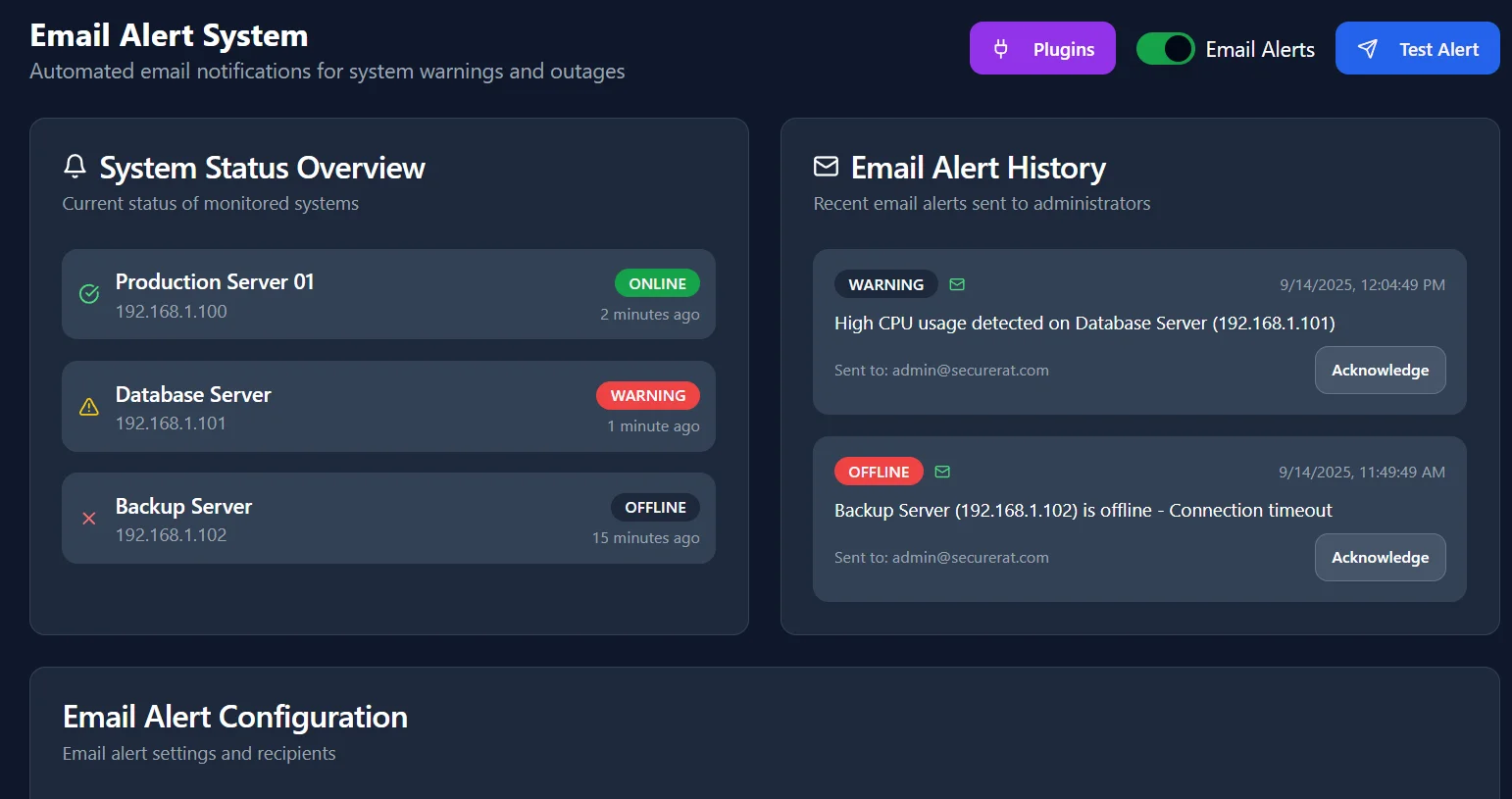
- EMAIL ALERT SYSTEM
- Comprehensive alert management and notification system:
- ALERT MANAGEMENT:
- Real-time alert generation with severity classification
- Email notification system with customizable templates
- SMS alert integration for critical events
- Webhook notifications for third-party systems
- ALERT CONFIGURATION:
- Threshold settings for various metrics
- Escalation rules with time-based triggers
- Multiple notification channels
- Alert suppression during maintenance
- ALERT HISTORY:
- Historical alert tracking with search capabilities
- Alert analytics and trend analysis
- Response time metrics
- Resolution tracking and reporting
- SETTINGS AND CONFIGURATION
- Comprehensive system configuration interface:
- ACCOUNT SETTINGS:
- User profile management
- Password configuration and policies
- Two-factor authentication setup
- Session management and timeout settings
- CONNECTION SETTINGS:
- Network configuration parameters
- SSL/TLS certificate management
- Proxy configuration for corporate networks
- Connection timeout and retry settings
- NOTIFICATION SETTINGS:
- Email server configuration
- SMS gateway settings
- Webhook endpoint management
- Alert preference customization
- SECURITY SETTINGS:
- Role-based access control
- Audit logging configuration
- Encryption settings and key management
- Compliance configuration options
- LIVE SYSTEM MONITORING
- Real-time system monitoring with interactive controls:
- MONITORING OVERVIEW:
- Total Systems count with dynamic updates
- Healthy Systems indicator (Green)
- Warning Systems indicator (Yellow)
- Critical Systems indicator (Red)
- System Uptime percentage display
- INTERACTIVE ELEMENTS:
- VIEW DETAILS buttons (ENABLED) on each system card
- LAST HOUR SETTINGS button (ENABLED) for time-based monitoring
- Acknowledge All Alerts button for bulk operations
- Test Notifications button for system validation
- SYSTEM CARDS:
- System name and type identification
- Connection status indicators
- Real-time metrics (CPU, Memory, Disk, Processes)
- Alert summary with Critical/Warning counts
- Last update timestamps
- Reconnect buttons for disconnected systems
- MONITORING TABS:
- Overview tab with general system information
- Servers tab for server-specific monitoring
- Network tab for network device monitoring
- Applications tab for application performance
- Alerts tab for alert management
- INTERACTIVE ELEMENTS SUMMARY
- Complete list of enabled buttons and interactive features:
- ENABLED BUTTONS:
- ' ADD DEVICE button (Secure Terminal sect ion)
- ' RUN FULL AUDIT button (Secur i ty Audi t Tests)
- ' GENERATE REPORTS button (Secur i ty Audi t Reports)
- ' VIEW DETAILS buttons (Live System Moni tor ing)
- ' LAST HOUR SETTINGS button (System Moni tor ing)
- ' Acknowledge Al l Alerts button (Overview)
- ' Test Not i f icat ions button (Overview)
- ' Generate Complete PDF Brochure button (Reports)
- NAVIGATION ELEMENTS:
- ' Al l sidebar navigat ion buttons
- ' Tab swi tching controls
- ' Modal dialog controls
- ' Real-t ime moni tor ing toggles
- SYSTEM INTERACTIONS:
- ' System status indicators
- ' Alert management controls
- ' Conf igurat ion form submissions
- ' Report generat ion and downloads
- This comprehensive documentation covers all menus, buttons, and features
of the SecureRAT Enterprise Monitoring & Security Tool.
- Document generated: 9/14/2025, 11:56:01 AM
- Total pages: 7
$ 100
- Verified source code
- Join 35542+ buyers which trust us!
- Download code immediately

100% Guarantee For Item!
Satisfaction guarantee policy.
Satisfaction guarantee policy.
Information
| Category | Scripts & Code / VB.NET |
| First Release | 14 September 2025 |
| Files included | .php, .html, .css, Javascript .js, .java, build.settings |
| Framework HTML/CSS | Bootstrap, Blueprint |
| Framework Javascript | jQuery, EXT JS, Backbone.js, Node.js |
| Software version | PHP 4.x, .NET 3.5 |
| File Size | 1 MB |
| Database version | MySQL 4.x |
| Frameworks | VB.NET |
Similar Items